Providing Support Team Access to Your Project
Support can be very important if you need help with your projects, whether it's because of a bug, because you have a question, need information, or need help with use the tools.
Activating the support gives access to your projects to the members of our team, allowing us to come and help you directly in the project, deactivating the support will then hide the project from us again.
Please note that support can only be enabled / disabled by members with admin permission level or the creator of the company group that is hosting the project
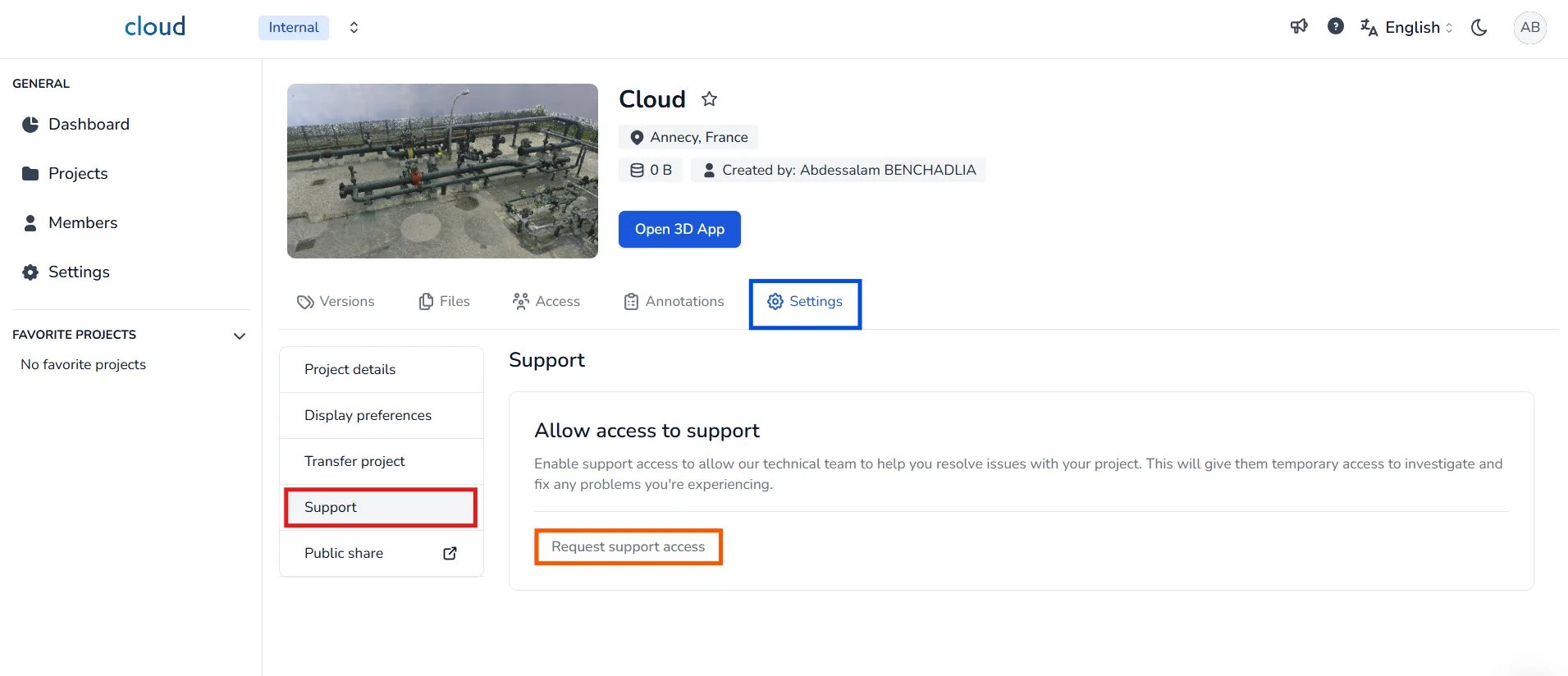
To activate support access for your project, go to the project's Settings tab and click on Support .Then, press the Request support access button.
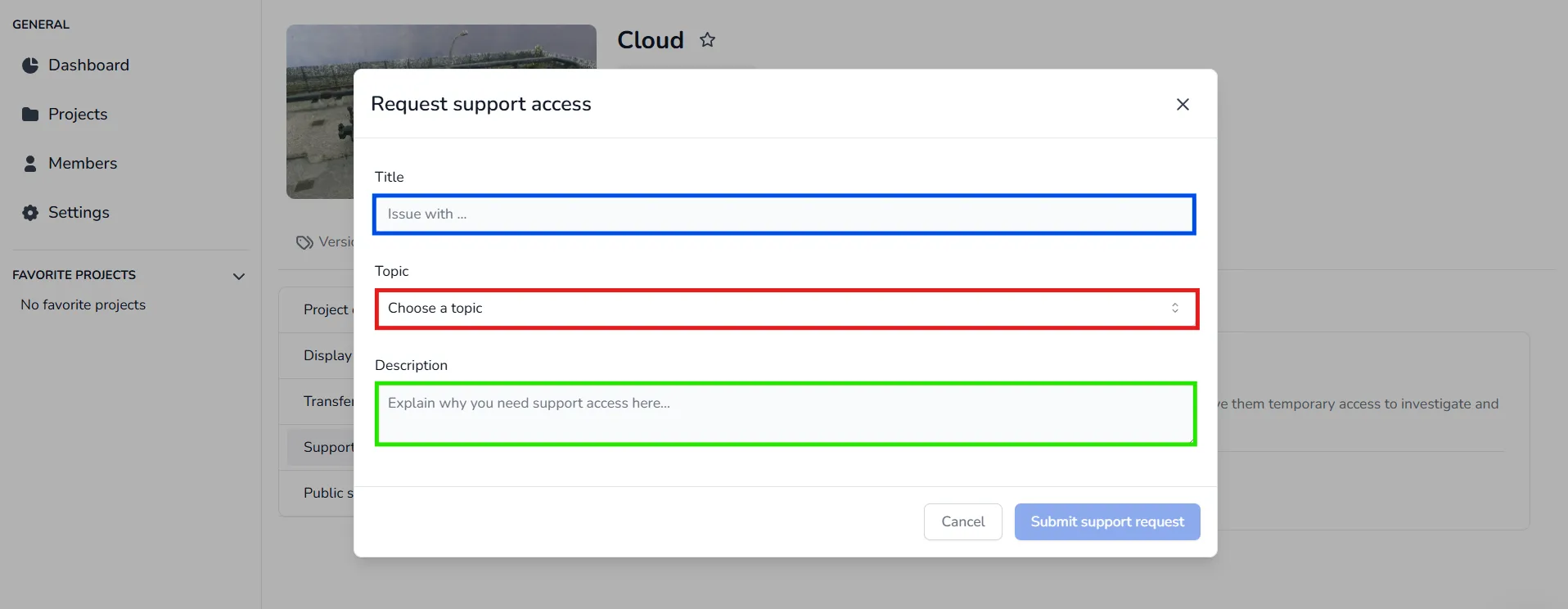
A window will appear asking you to:
- Enter a Title for your support request
- Select a Topic from the dropdown
- Add a Description to explain the issue
Once all fields are filled, click Submit support request.
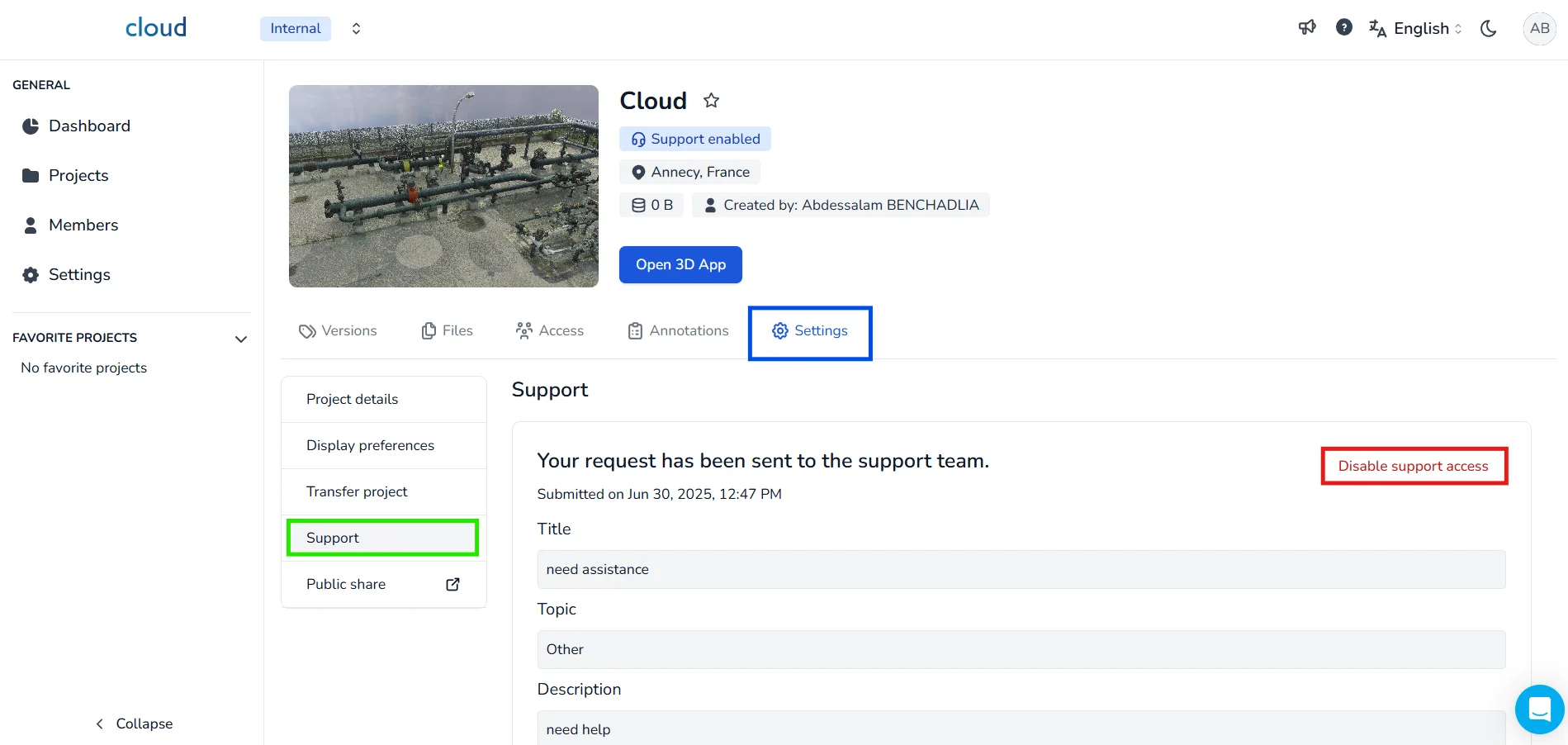
Our technical team will be immediately notified and will begin investigating the issue.
📝 Once your support request is resolved and confirmed by our team, you can disable the access by clicking Disable support access.
In case of problem or difficulty, do not hesitate to contact the platform team.