Managing Annotations Categories
The annotations categories page
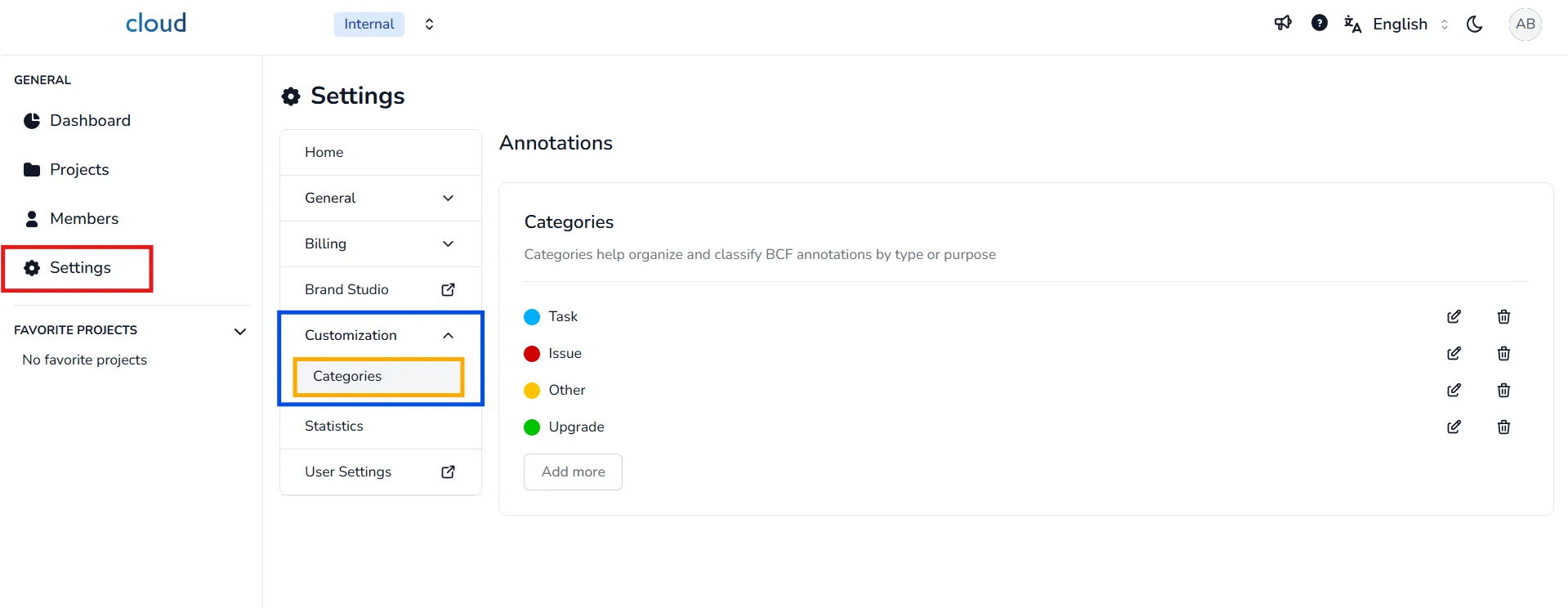
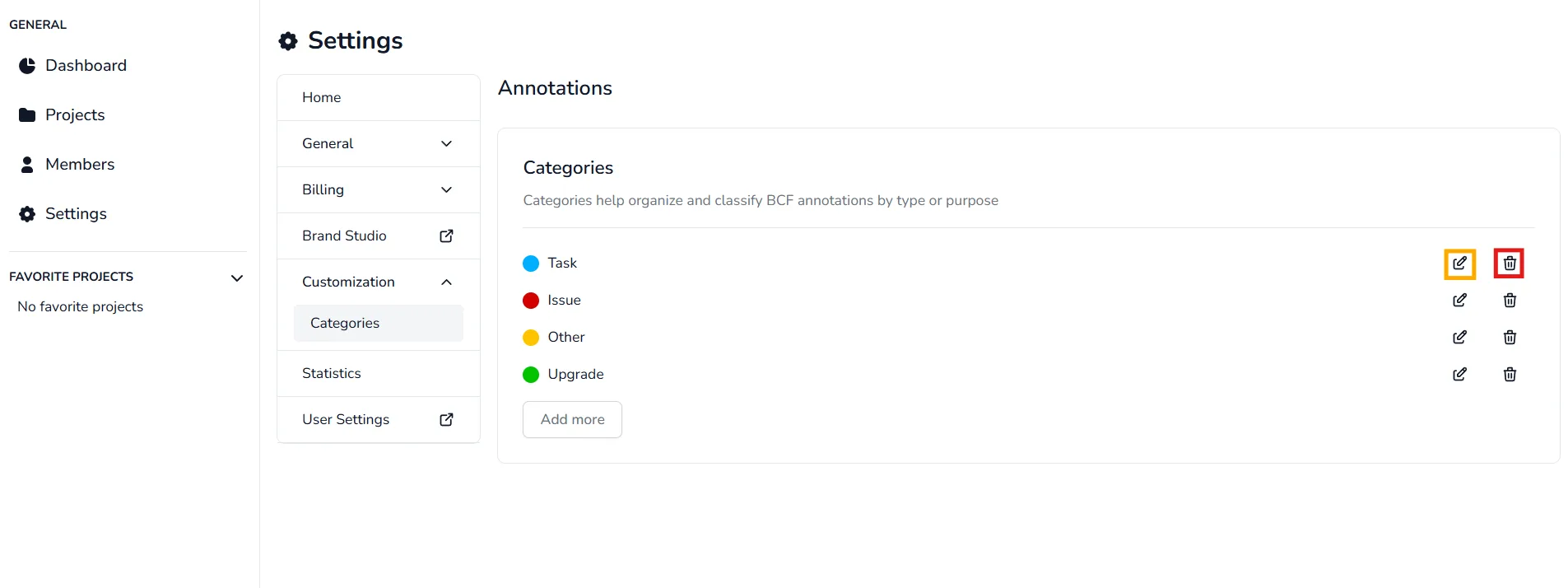
Annotations categories help organize and classify annotations by type or purpose, to begin managing your annotations categories, navigate to the Settings section from the main sidebar, then click on Categories under the Customization tab.
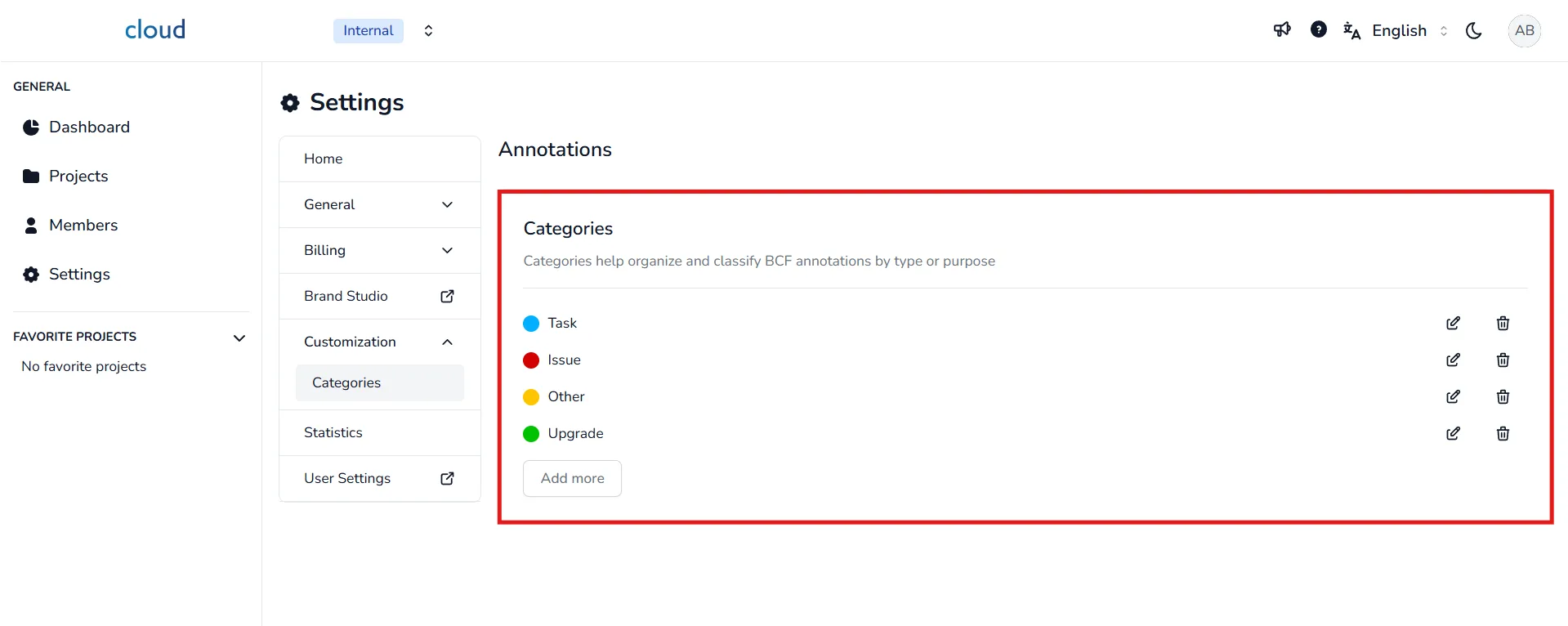
On this page, you will find the four default categories (Task, Isuue, Other, Upgrade) as well as your custom categories.
Create annotations categories
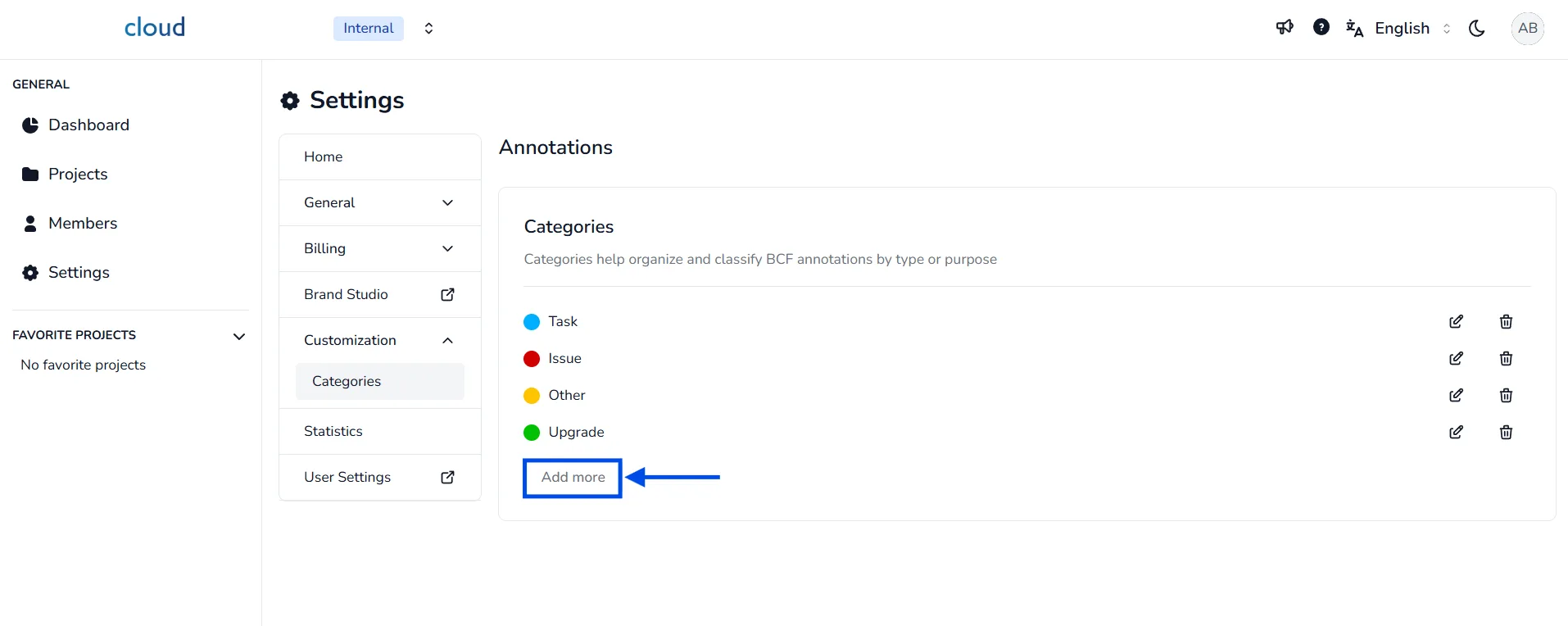
To add a custom annotations category, click on the Add more button located at the bottom of the category list.
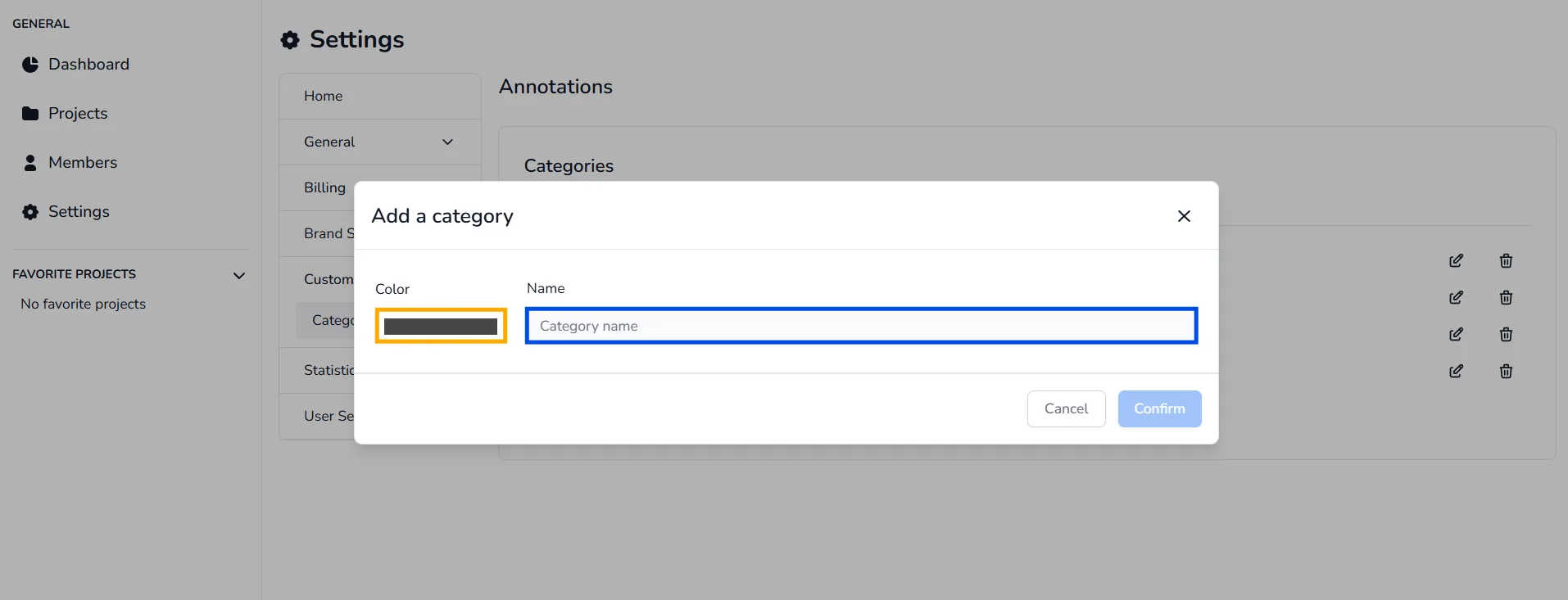
Within the category creation window, select a Color to visually identify your category and enter a Name in the input field. Once done, confirm your selection to add the category to your list.
Manage annotations categories
Once your categories are created, you can edit or delete them as needed:
- To edit, click on the pencil icon ✏️ next to the category you want to modify.
- To delete, click the trash bin icon 🗑️ next to the category you want to remove.
If you wish to learn more about annotations and how to use them, please refer to the following articles :
How to create annotations (BCF)?
How to edit an annotation in the project edit page?
In case of problem or difficulty, do not hesitate to contact the platform team.