Changing Your Personal Information
If you are looking to change your password, check out this article instead.
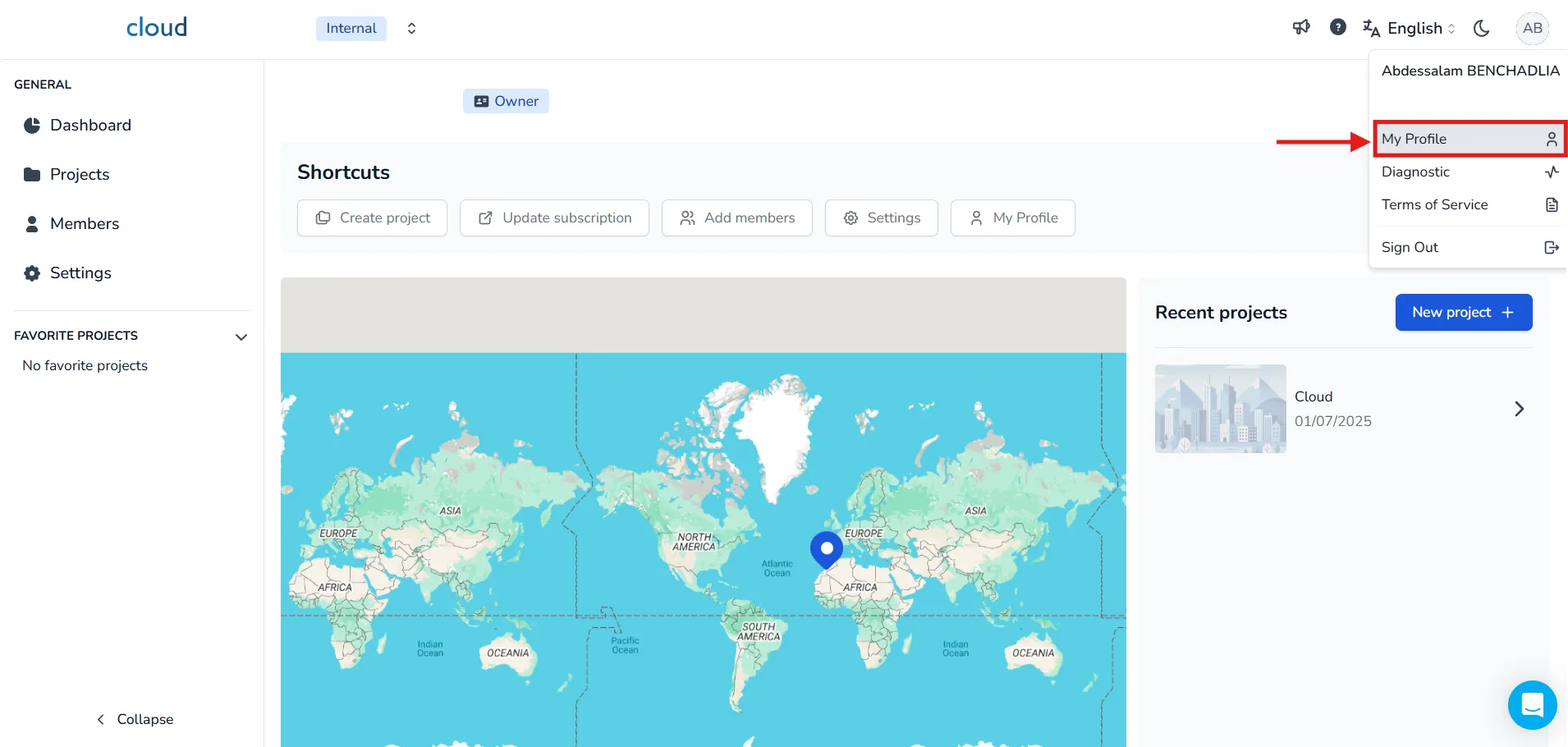
First go to your profile page. Click on your avatar icon at the top-right corner of the screen, then select My Profile from the dropdown menu.
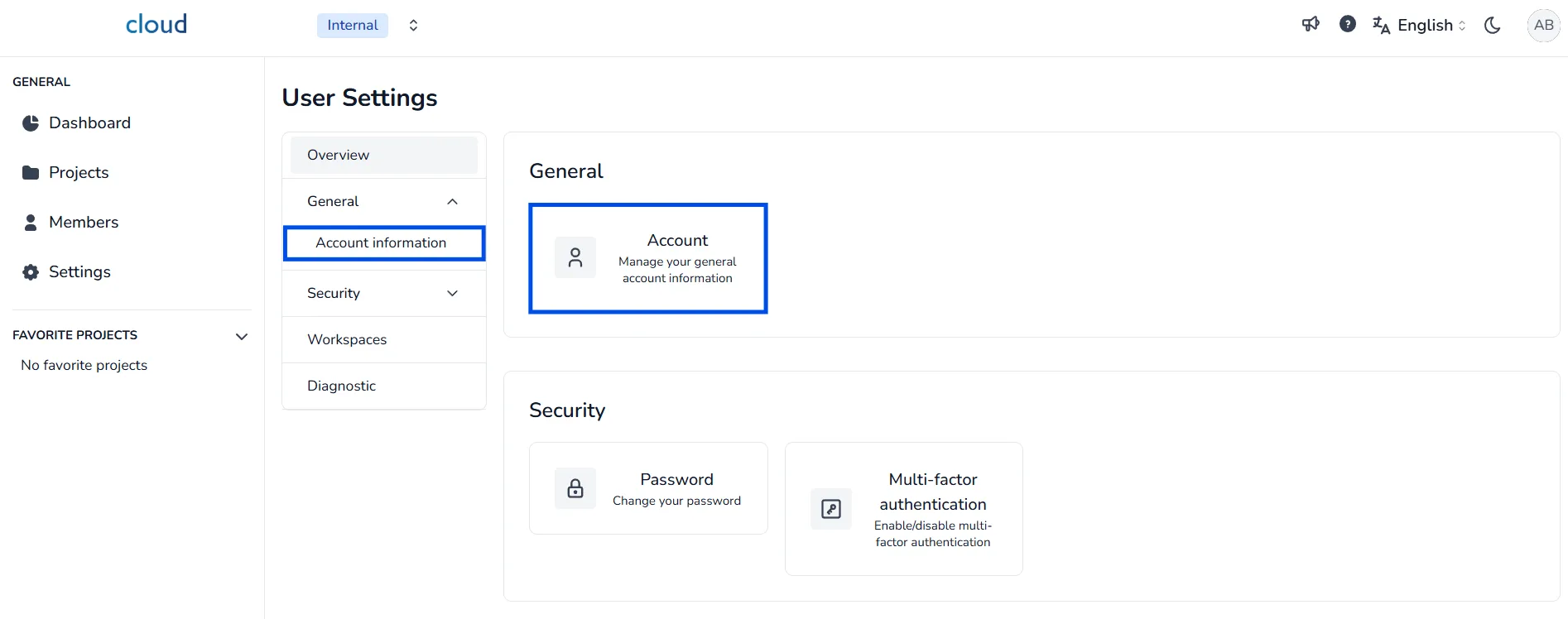
Once on your profile page, you can access your account information in two ways:
- From the Overview tab,
- Or by clicking General → Account information.
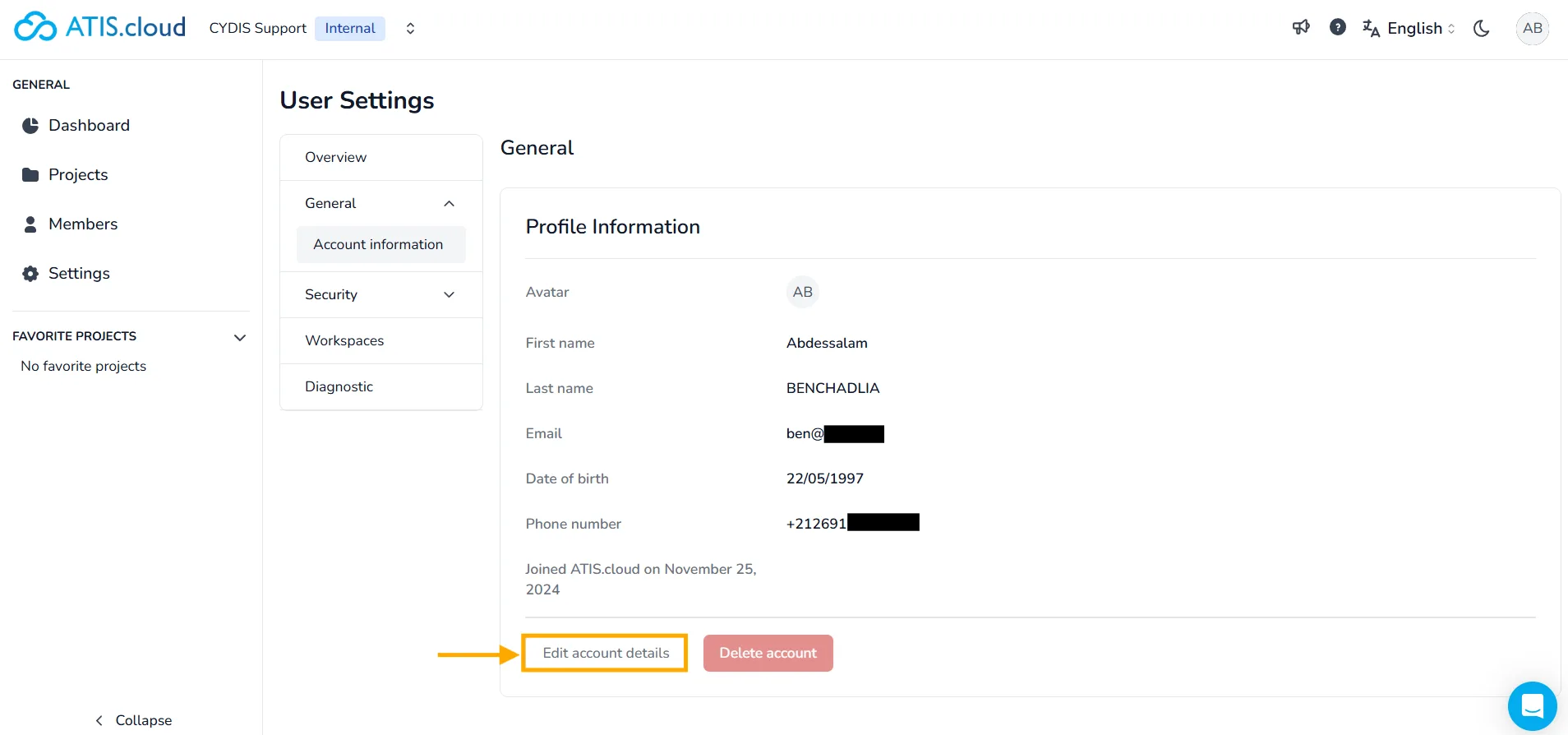
Under Profile Information, you'll see your:
- First name,
- Last name,
- Email,
- Date of birth,
- Phone number.
To update them, click on the Edit account details button.
Change Your Profile Picture
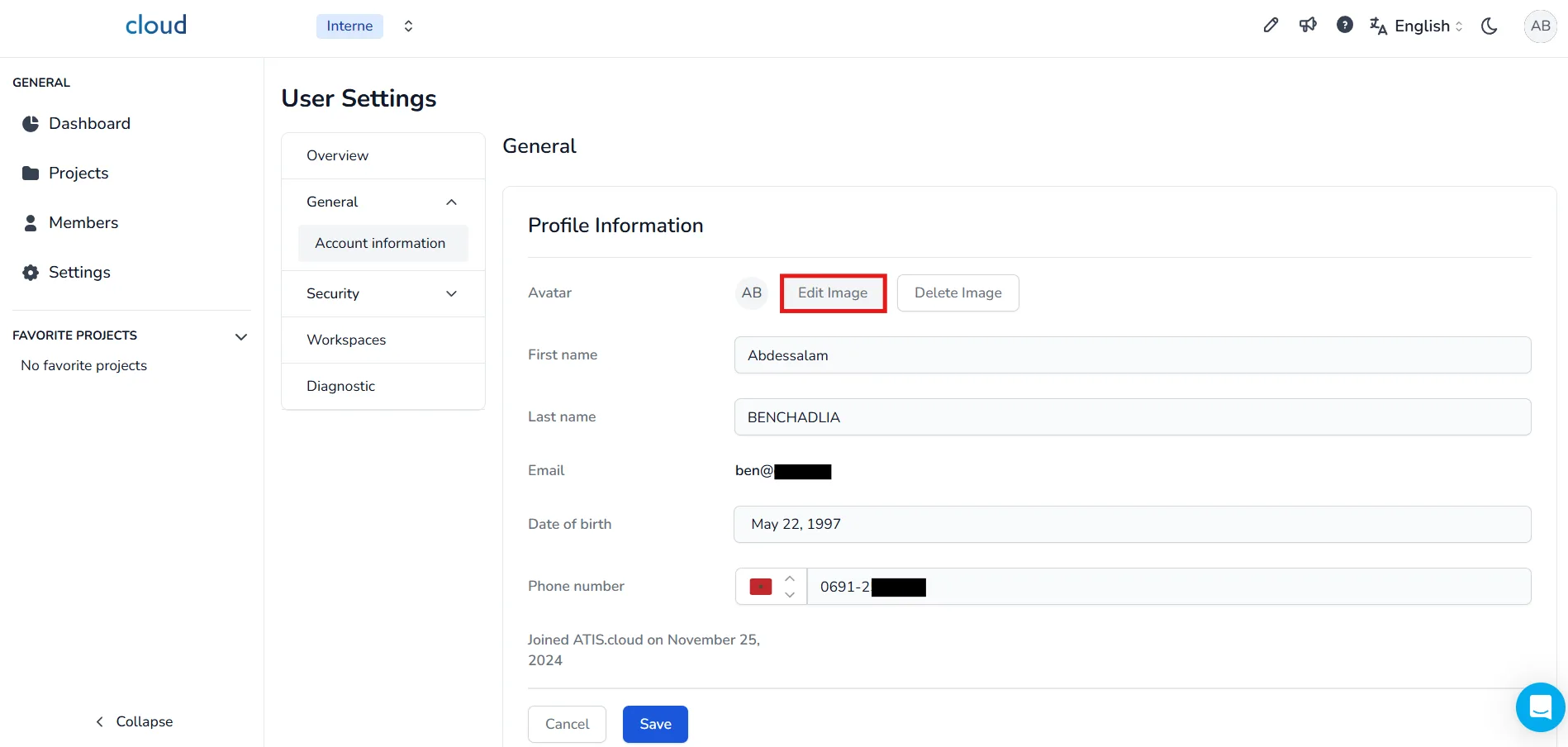
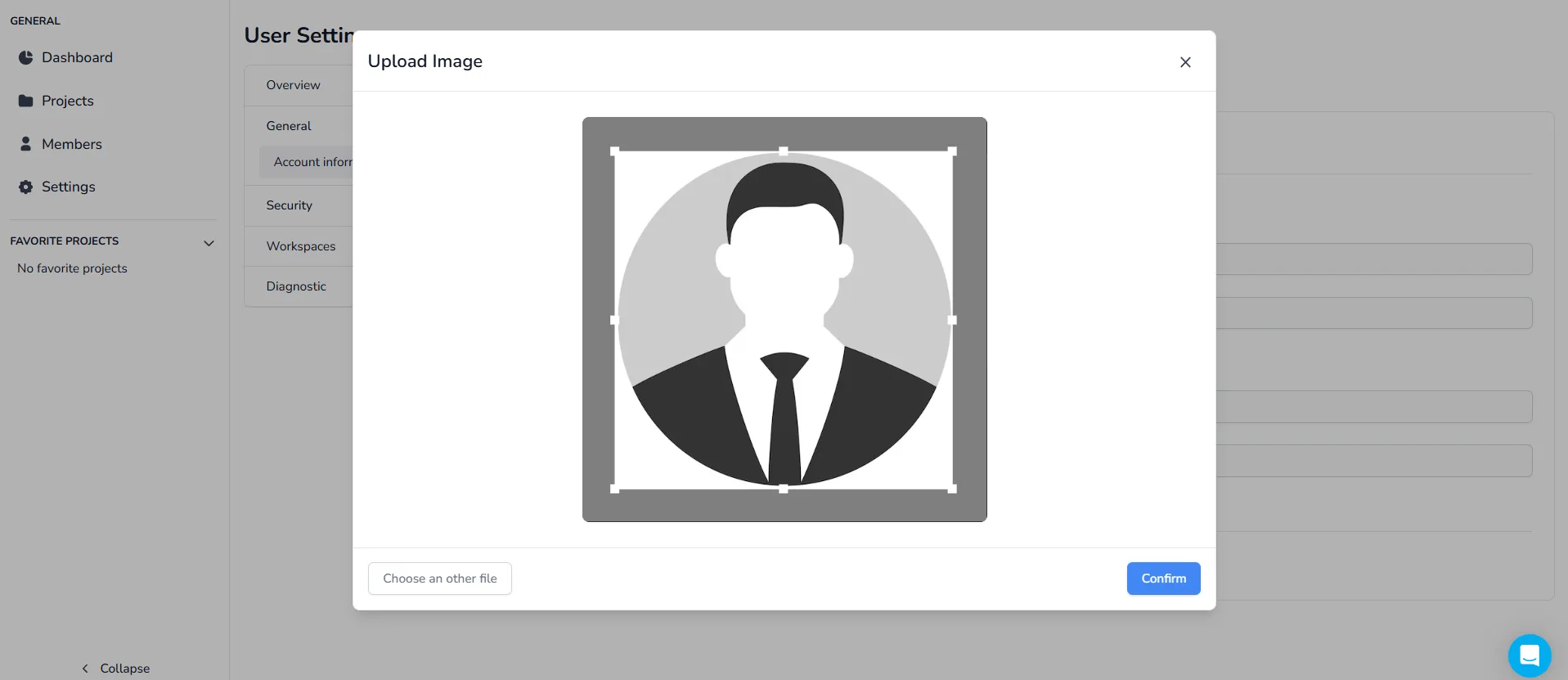
You can change your profile picture. To do this click on Edit Image.
When you do this, your computer files will open. Select an image by double-clicking it or click it once and then click "open".
The "cropper" has now appeared. Select the image size and click Validate once you are satisfied with the size of your image.
Editing Specific Fields
You can individually update the following:
- First name: Update your first name
- Last name: Update your last name
- Date of birth: Click on the calendar icon and select your updated birth date.
- Phone number: Select the country code and update your number
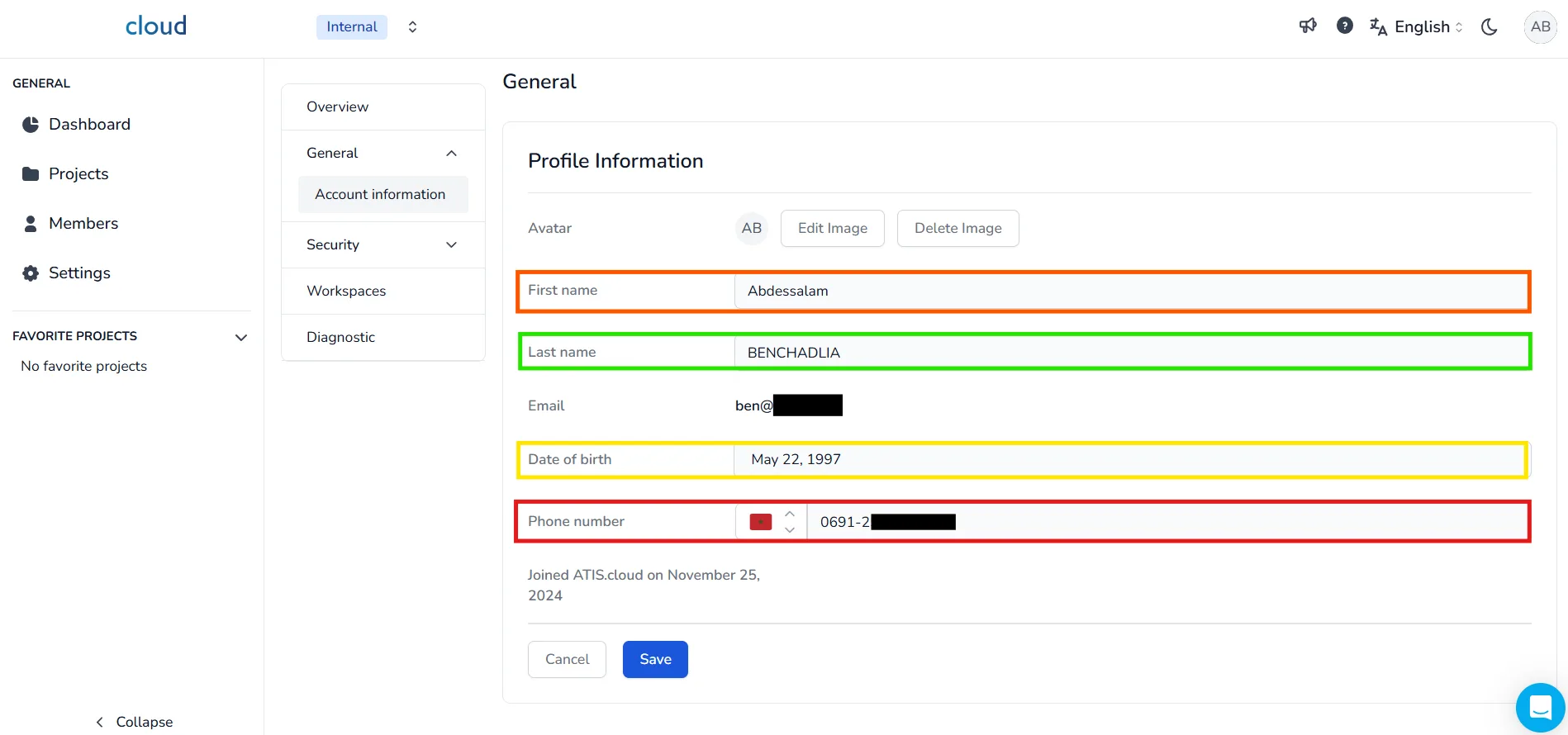
After making all updates, don't forget to click Save to validate and apply the changes.
If you have any problem or difficulties, please do not hesitate to contact the platform's team.