Transferring or Duplicating a Project to Another Workspace
Transfer key
To transfer or duplicate a project from one workspace to another, you must first create a transfer key.
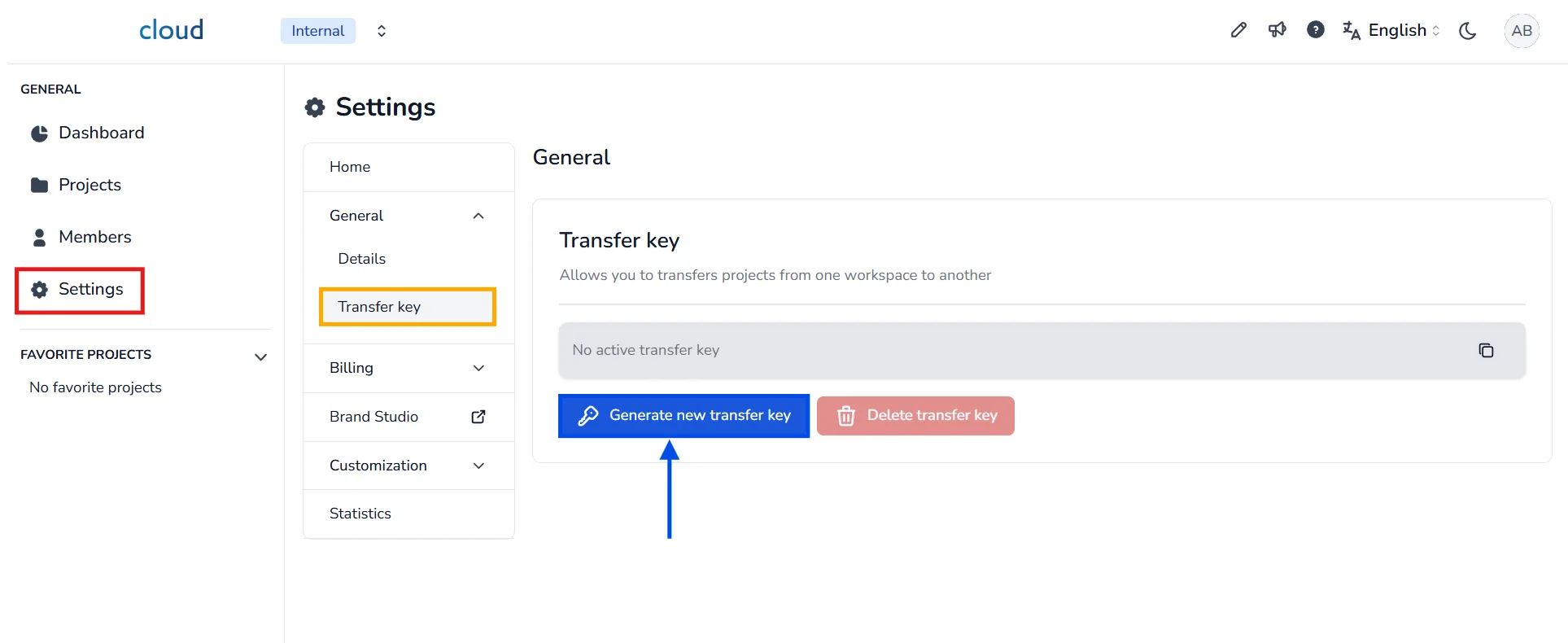
To generate a transfer key, go to Settings, then select Transfer key. Click the Generate new transfer key button to create one. Once the key is generated, copy it using the copy icon.
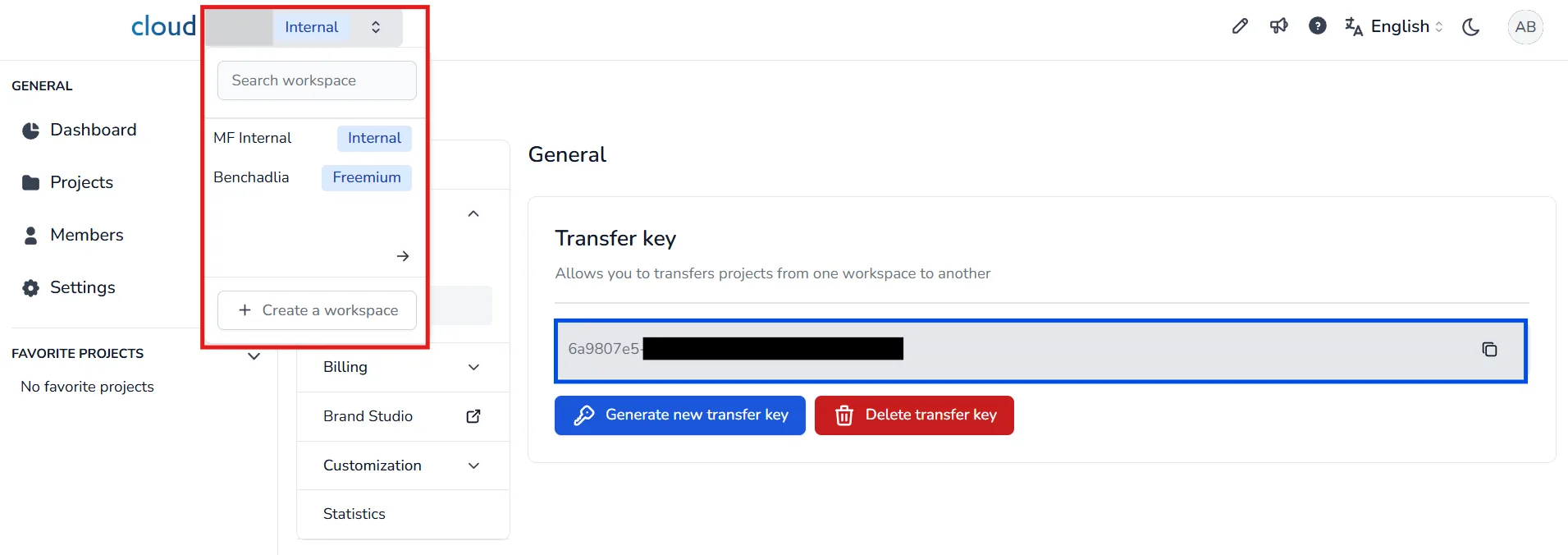
🛑 The key must be copied before switching to the target workspace.
Switch to the workspace that contains the project you want to move
Transfer a project
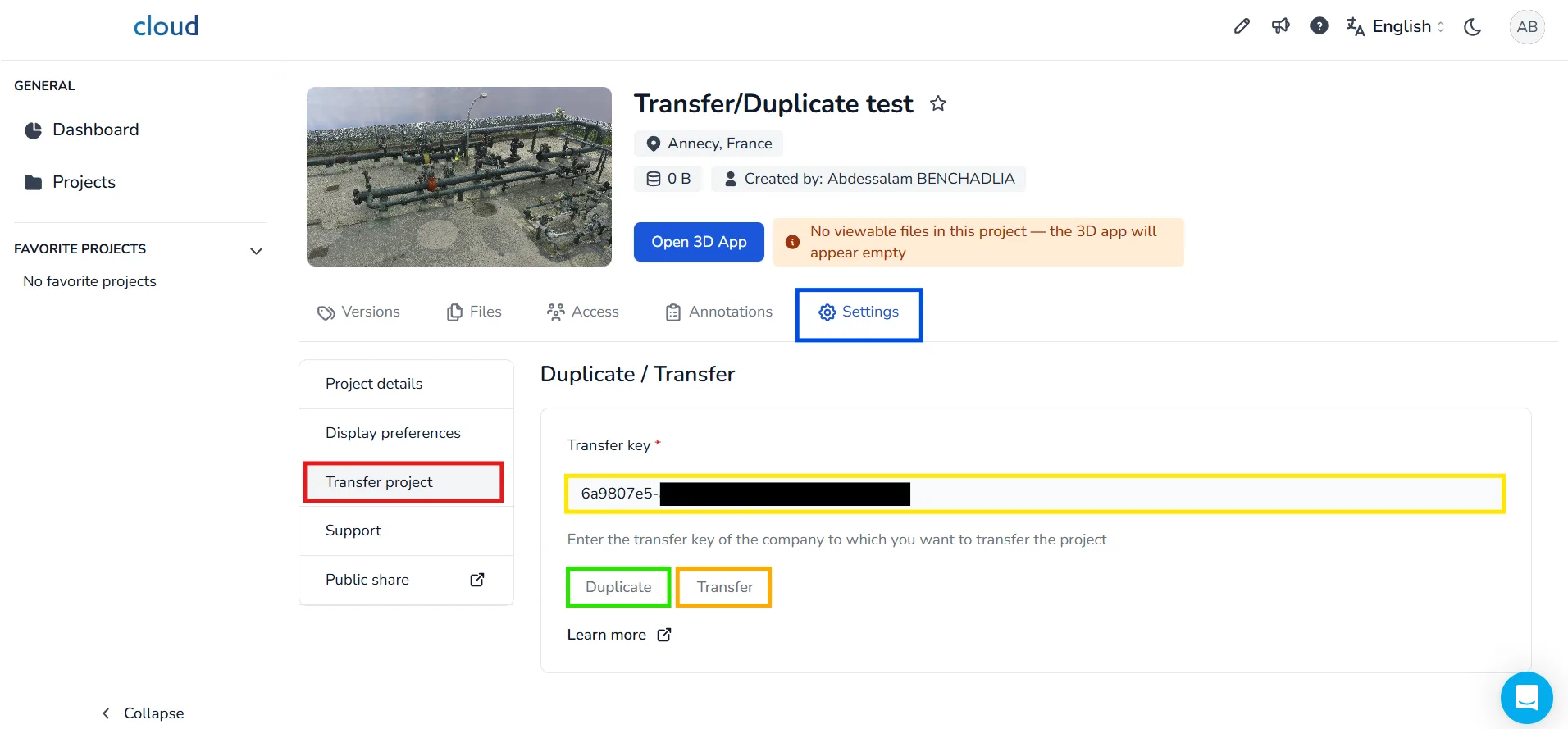
Open the project you want to transfer or duplicate, then go to Settings and click on Transfer project. Paste the previously copied transfer key into the Transfer key field, then choose whether you want to Duplicate or Transfer the project.
Remarks :
- You will not be able to transfer if you have a freemium account
- Projects can only be transferred between workspaces in the same region (e.g. EU to EU, or US to US)
- BCF annotations will not be transferred automatically. If you wish to send them, export your annotations in BCF format and drop the file on the Files tab of your project before transferring it. The recipient will only have to download the BCF file and import it from their side.
In case of problem or difficulty, do not hesitate to contact the platform team.