Modifying Your Subscription
Subscription modification
Before choosing your subscription, please make sure to have a valid payment method :
- Credit Card/Debit Card or
- IBAN
You will learn about the payment methods in part 4 of this article.
All actions listed below are performed from the billing page, accessible under the Settings tab, if you have the required permissions.
See and edit your current plan
At the top of the page, you'll see information about your current plan: its name, number of users, billing cycle (monthly or yearly), and the renewal date.
To modify it, click the Edit button.
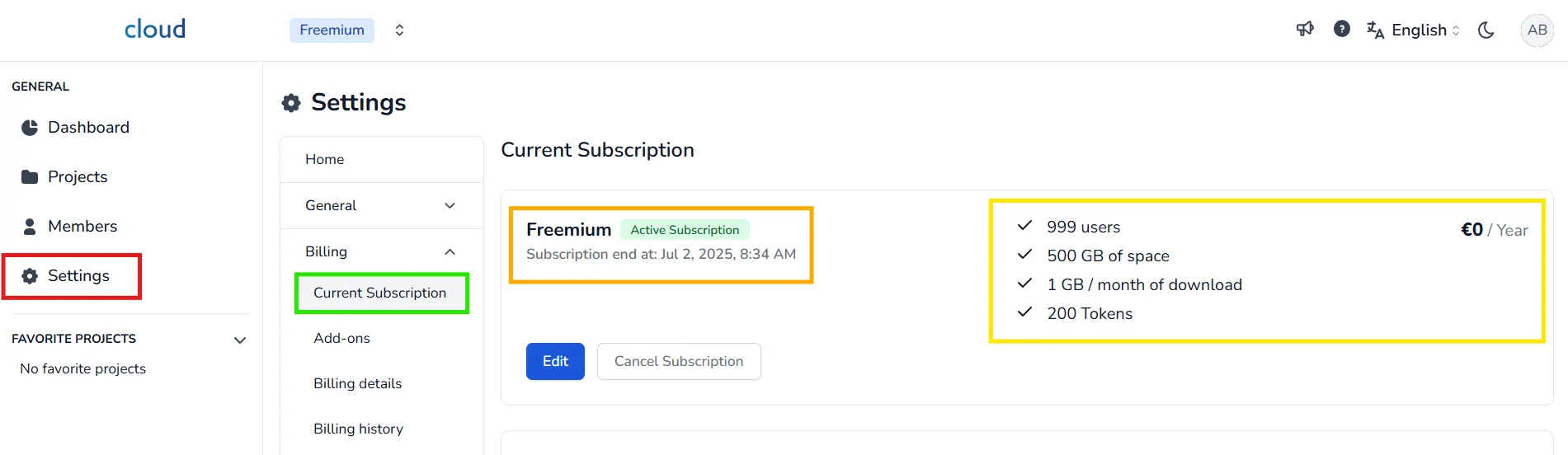
You can now:
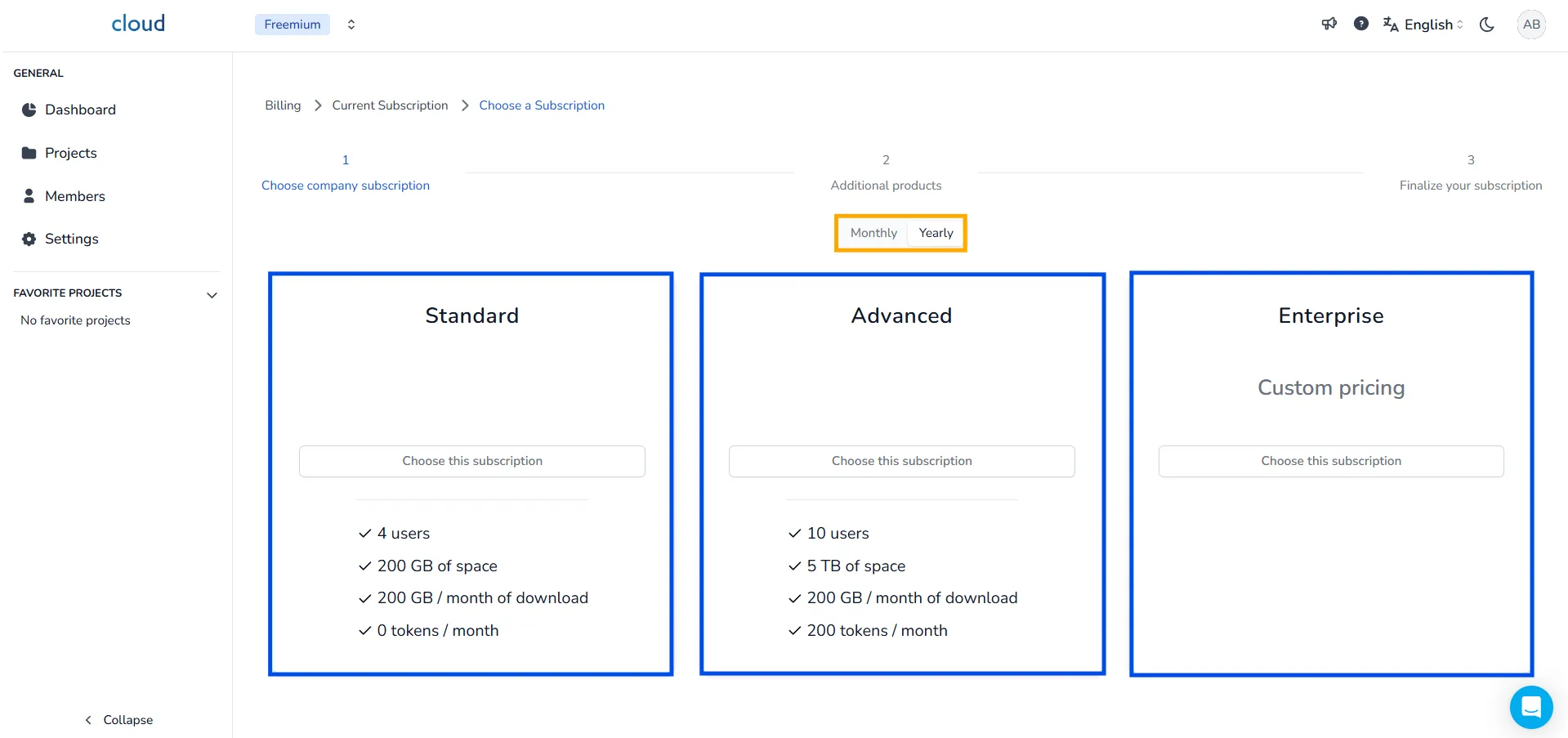
- Select a billing cycle: Monthly or Yearly
- Choose a plan: Standard, Advanced, or Enterprise
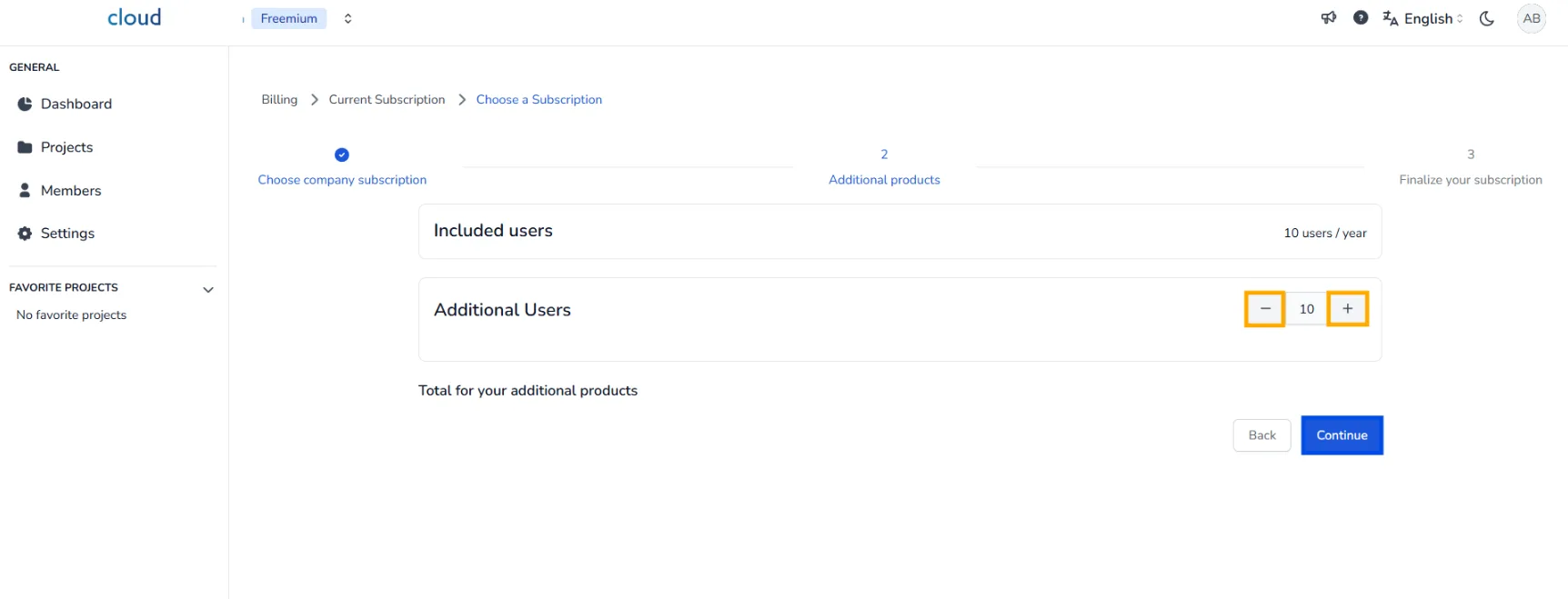
- Set the number of users via the + / - buttons or by entering a number directly.
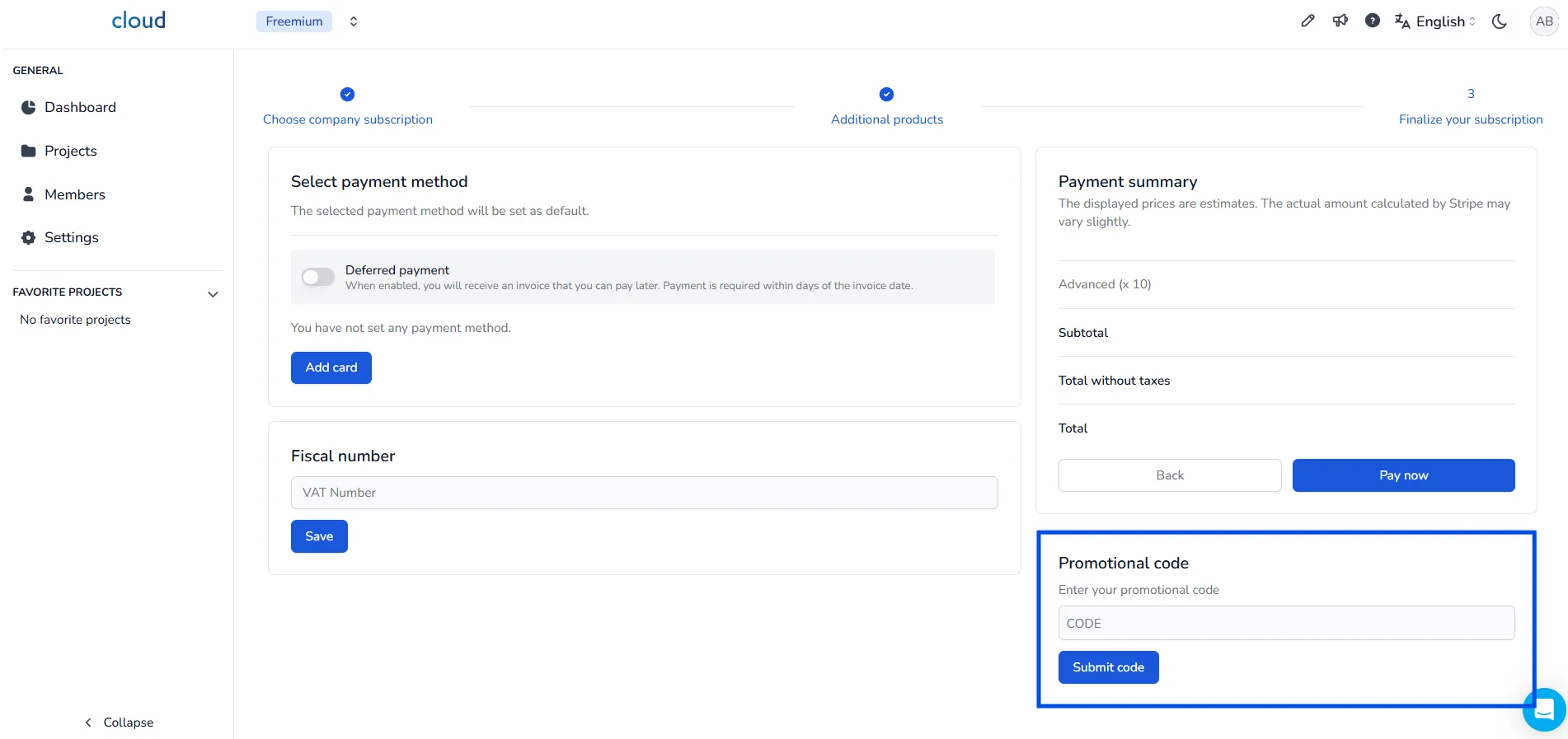
If you have a promo code, apply it before completing your purchase to receive a discount.
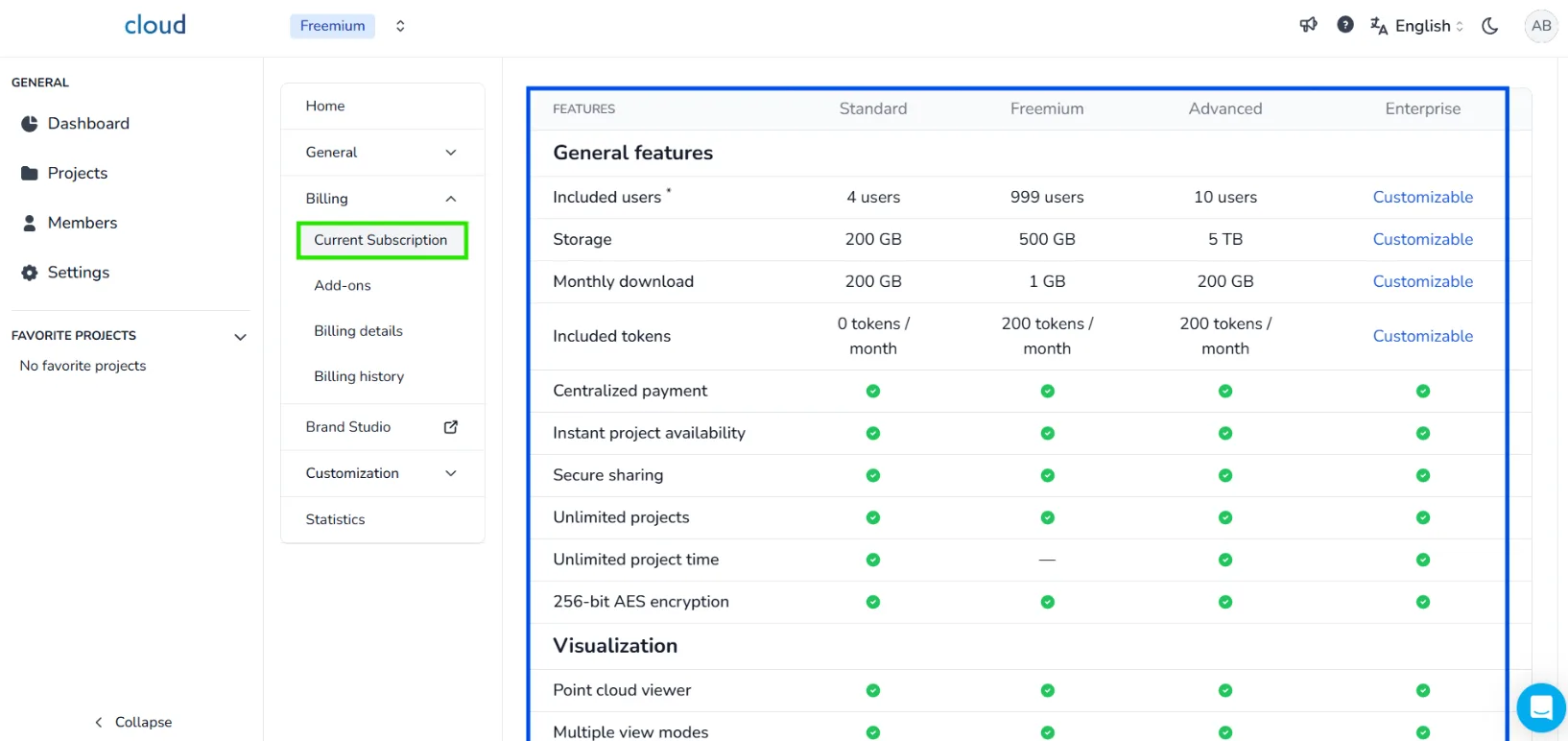
You can find additional information about each plan in the Current Subscription section.
Enable and disable the download overflow
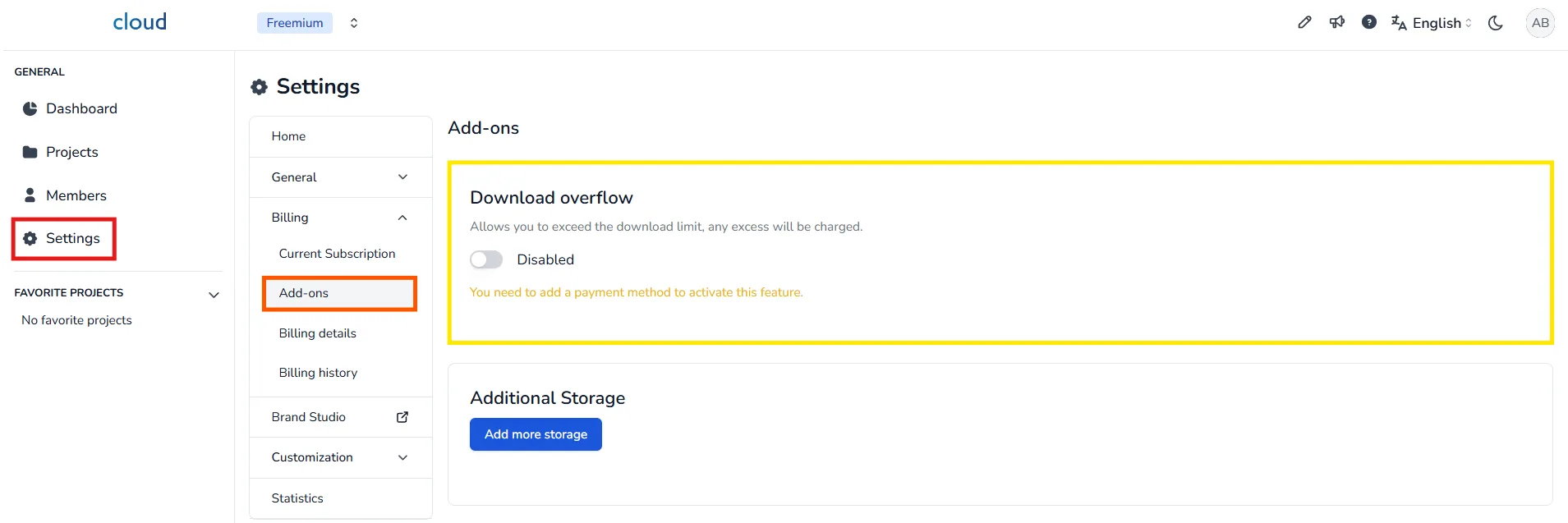
Back in the billing page, under the Add-ons section , you can enable or disable the download overflow.
The download overflow will allow you to continue downloading files after you have reached the maximum allowed per month, however, each GB of overflow will have a price. You are free to activate this option or not, if it is not activated you will receive a message, telling you that have reached your limit and you cannot download this file.
Tokens
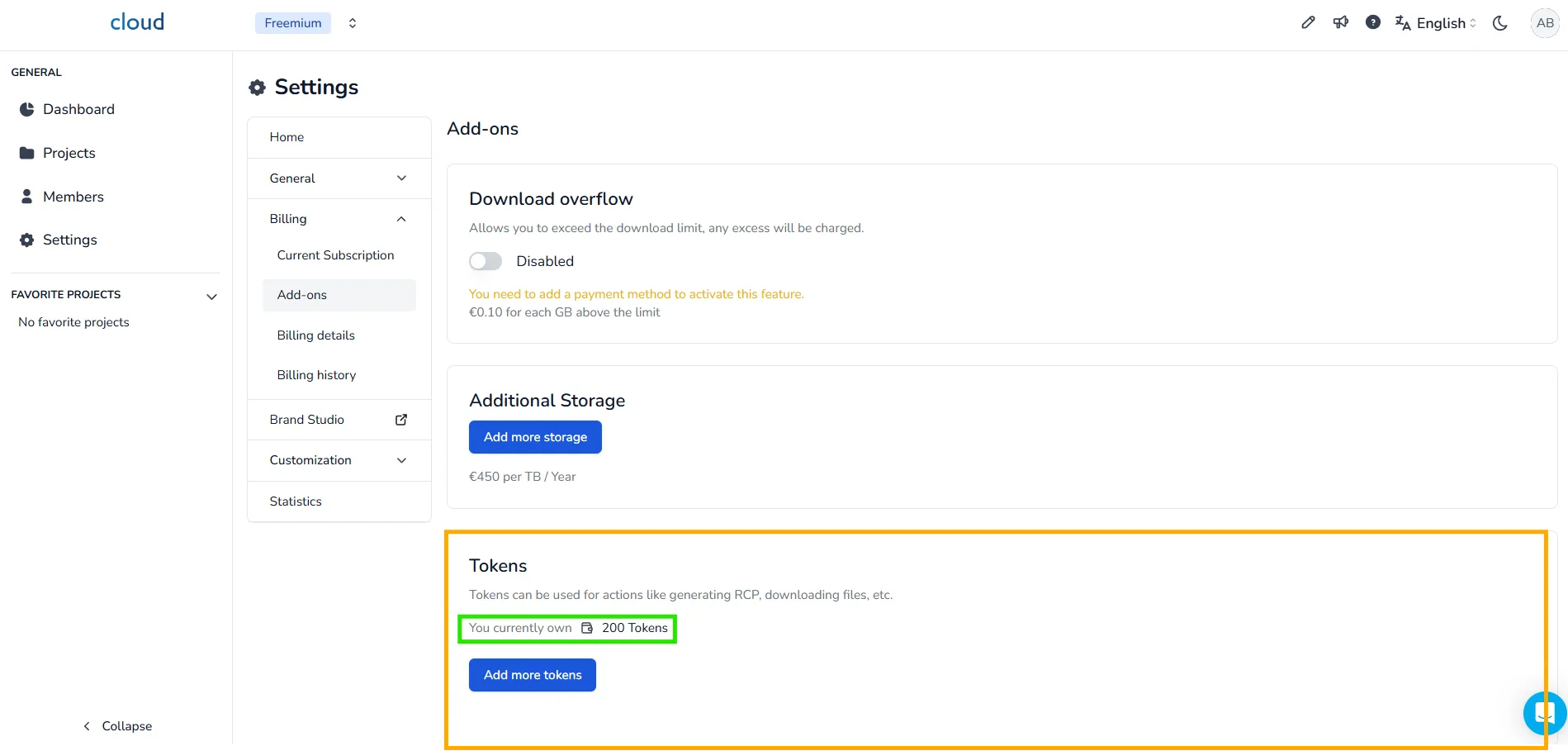
This section shows your current token balance. To purchase more, click Add more tokens and select the quantity you need.
Payment methods
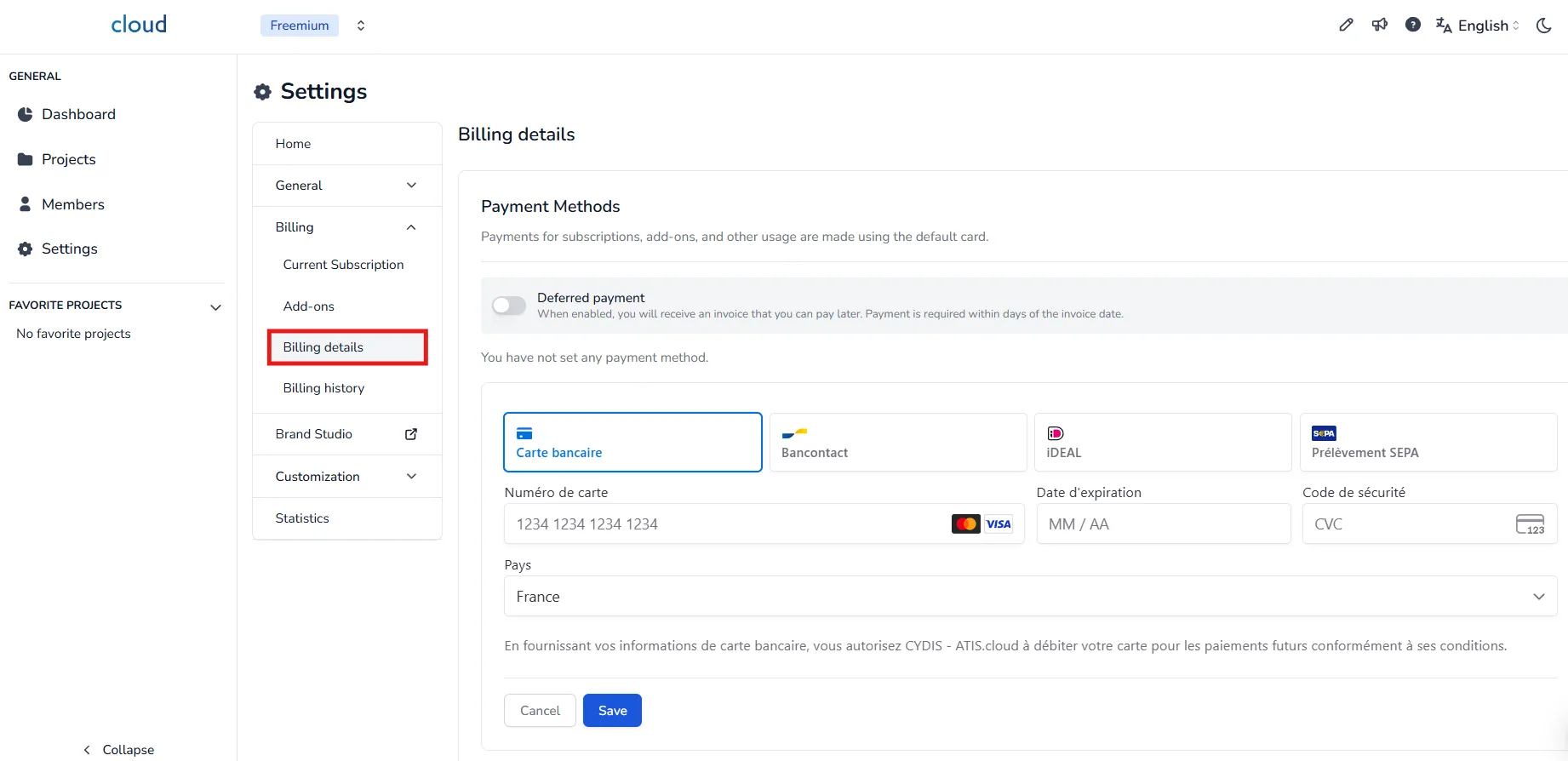
If you don't have a payment method saved in, you can add one right here.
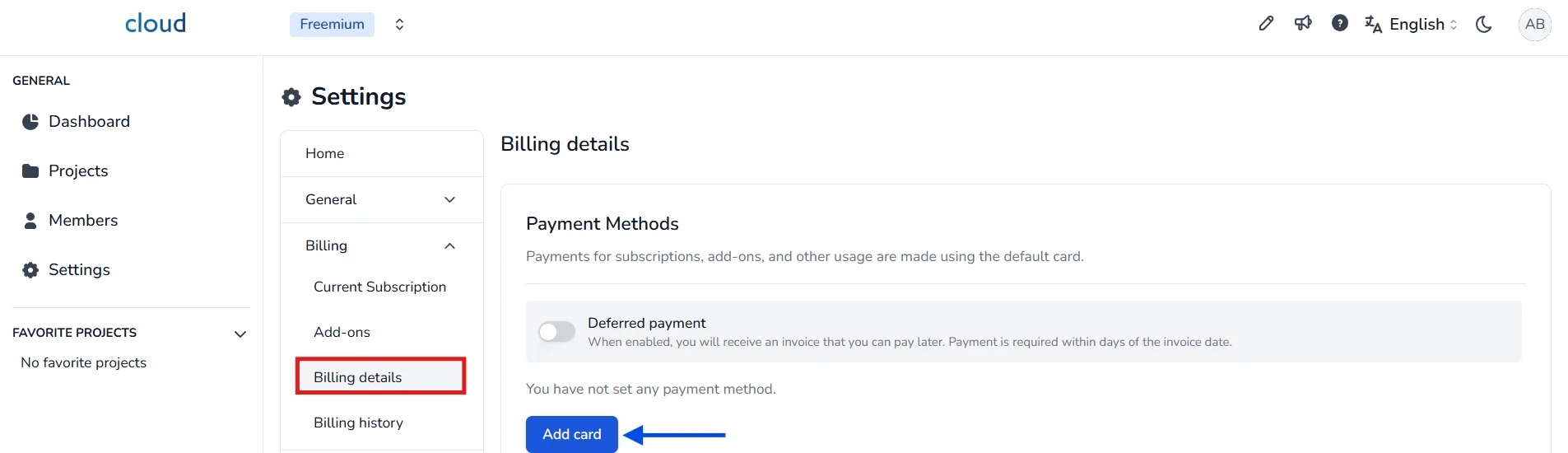
You have several options, you can either use a credit (or debit) card, or a SEPA Debit, or a Bancontact, or an iDEAL.
Enter your payment information and validate your payment method.
Should you need to cancel your action, please bear in mind that a valid payment method is required for subscription access. Payments are handled by a third-party payment provider, your card details are never stored on the platform's servers and cannot be accessed by our team.
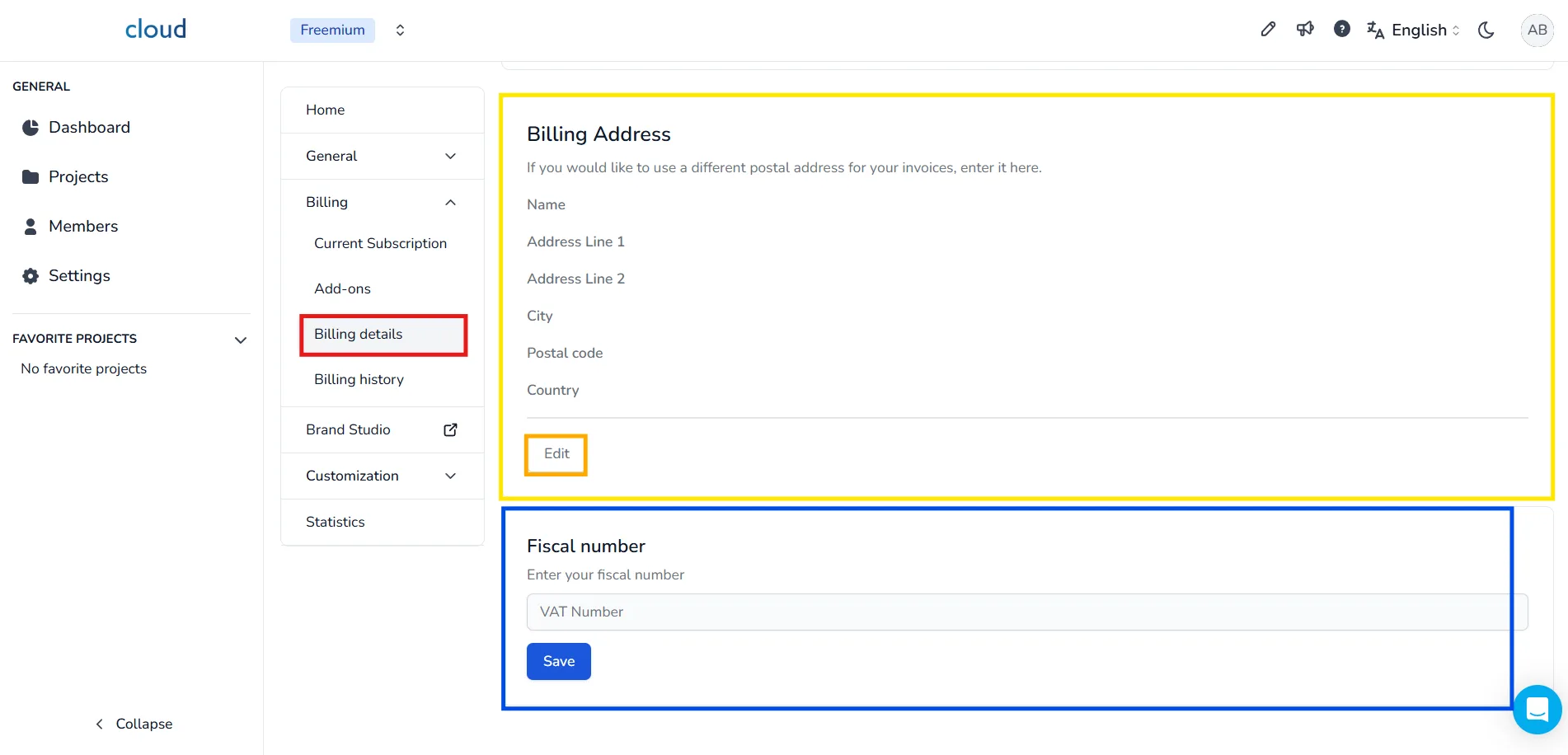
Billing information
Here you will have to enter your billing information, these are classic fields that have to be filled with your company name, phone number and address and optionally your fiscal number. This allows us to send you invoices that are correct and can be used by your accountants.
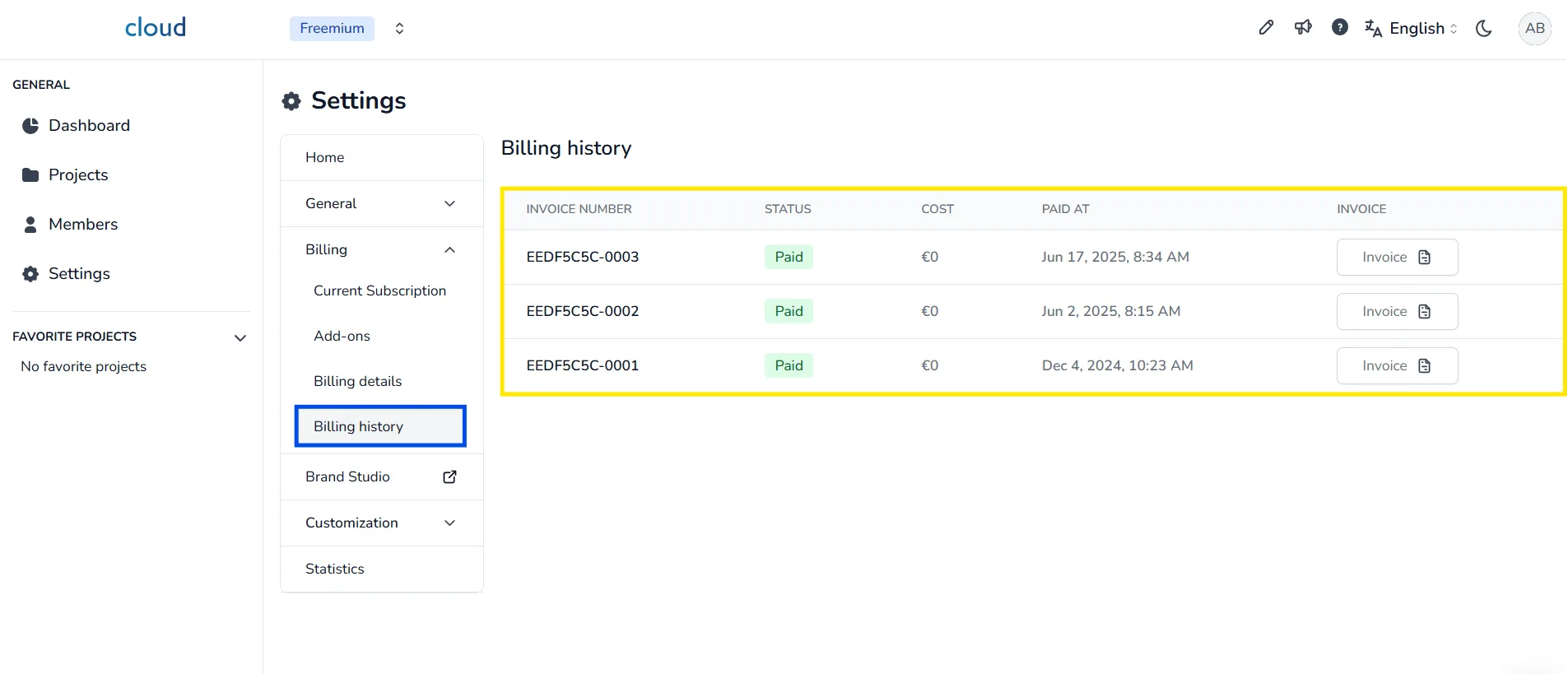
Billing history
Here you'll find a list of past invoices, each displaying its date, amount, status, and invoice number. You can download any invoice using the icon beside it.
Subscription cancellation
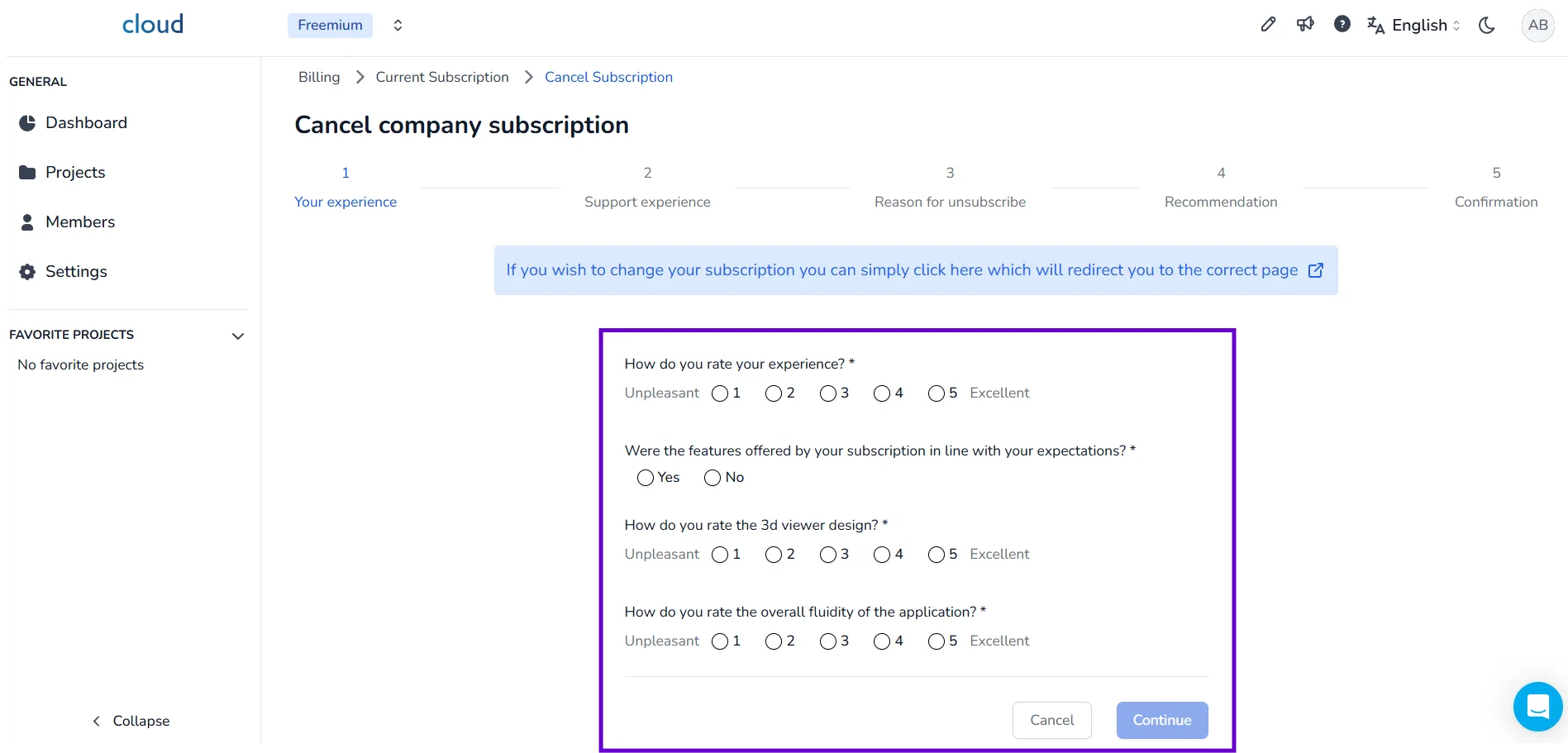
To unsubscribe, go to the Current Subscription section and click Cancel Subscription.
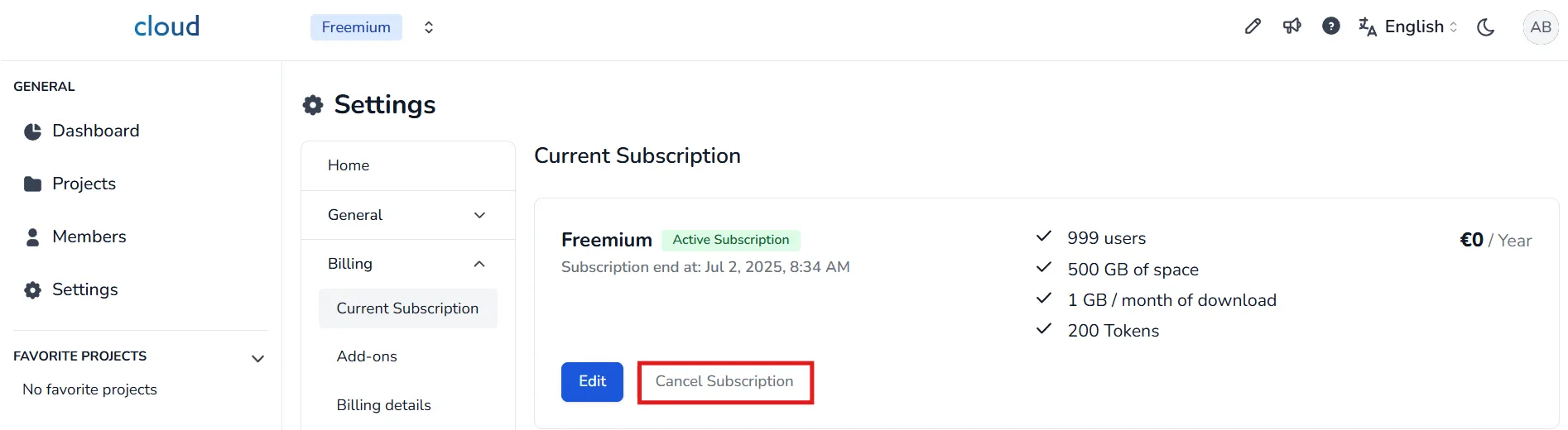
This will open a page with a form, fill the form to unsubscribe. You can cancel at any time; your subscription stays active until the end of your current billing period, then a 30-day countdown begins. During those 30 days you no longer have access to your projects, but if you start a new subscription within that time you get all of them back. After the 30 days, all your projects are permanently deleted. Unsubscribing does not delete your account, so you can always come back and start a new subscription whenever you need to. If you want to keep any of your data, download or transfer it before your subscription ends, while you still have access.
To have your information deleted completely, please contact us.
In case of problem or difficulty, do not hesitate to contact the platform team.