Importing a BCF
To import your BCF annotations into a project:
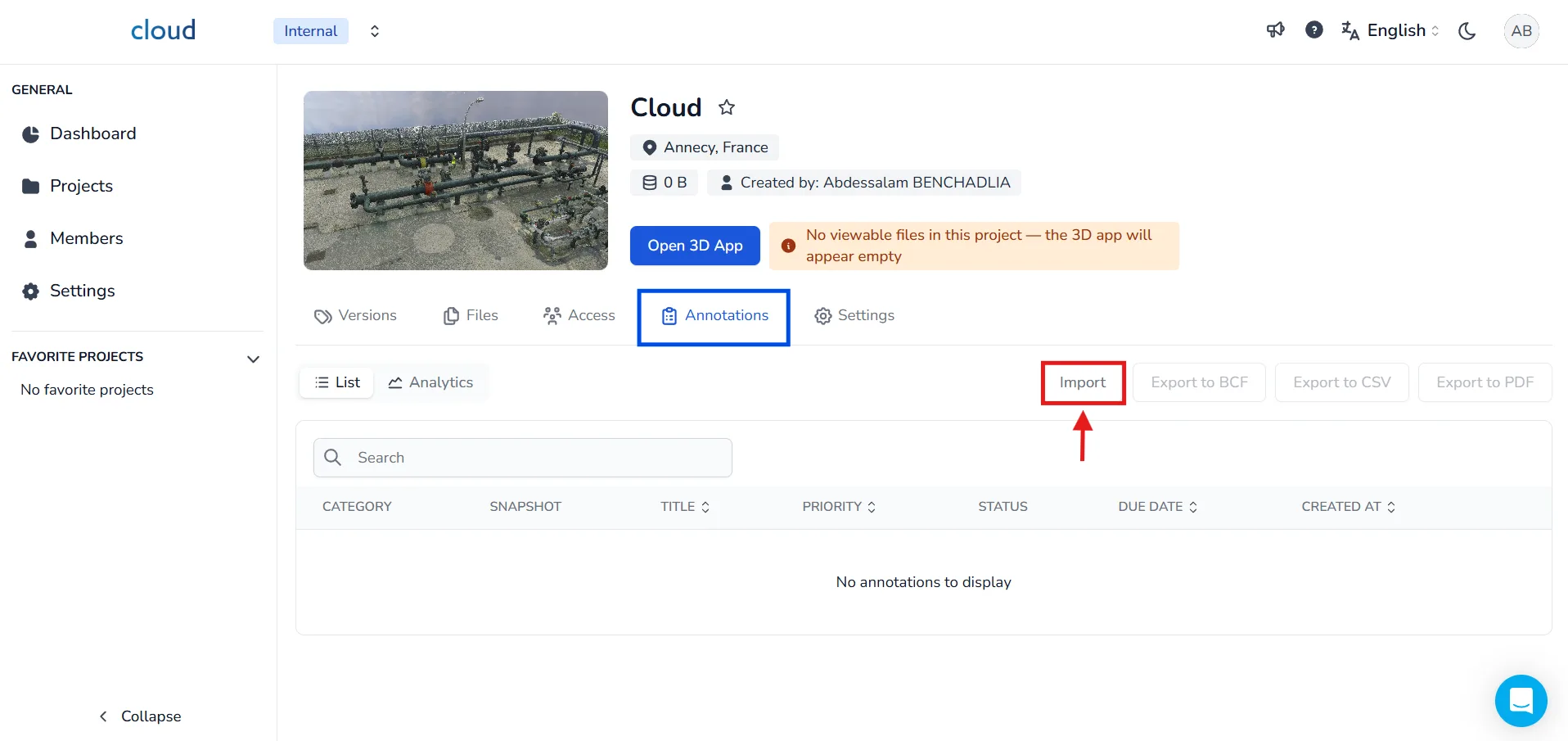
Go to your project and click on the Annotations tab, then click the Import button.
Select your .bcf file from your computer.
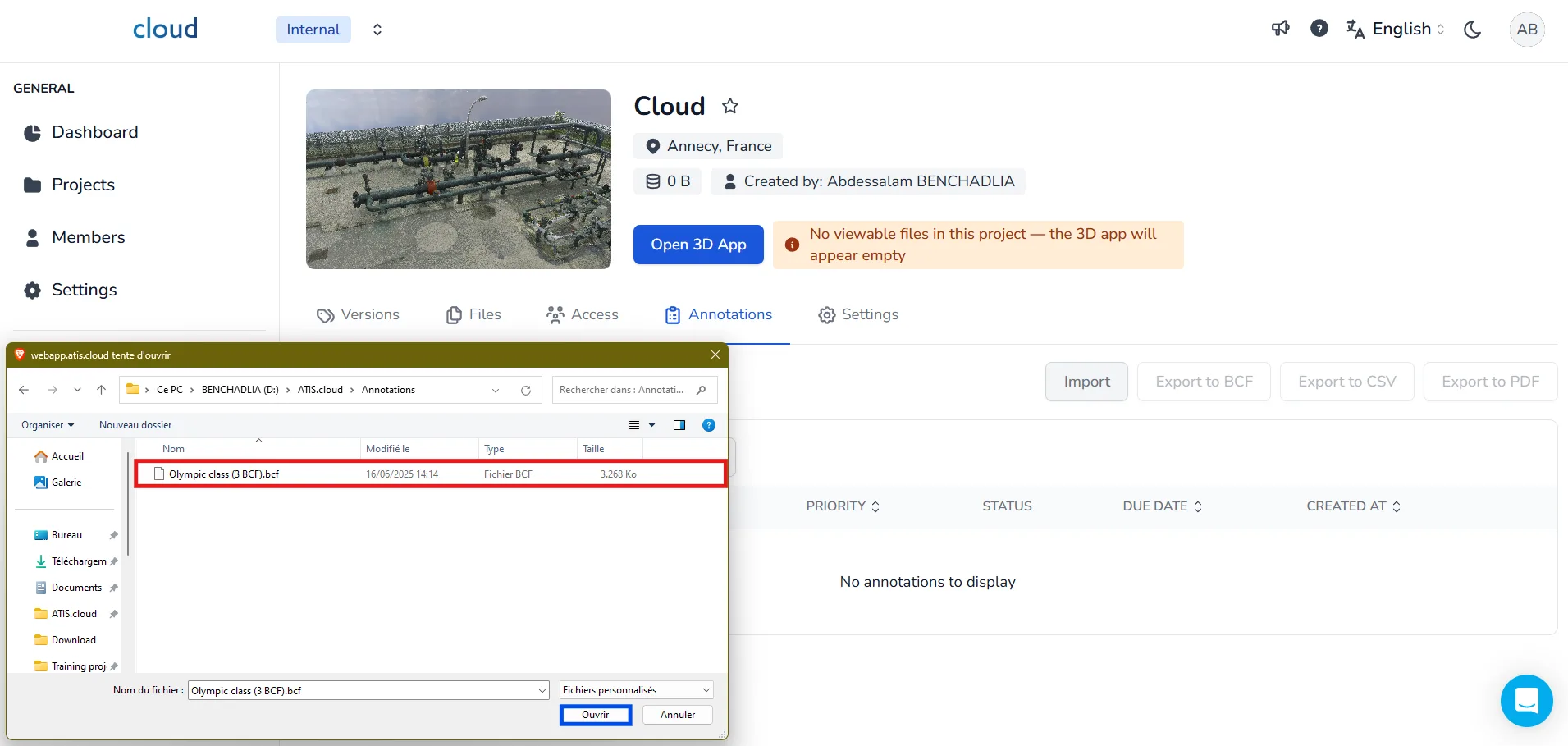
⚠️ Once selected, please wait a few seconds for the file to load. Do not close the window during this step.
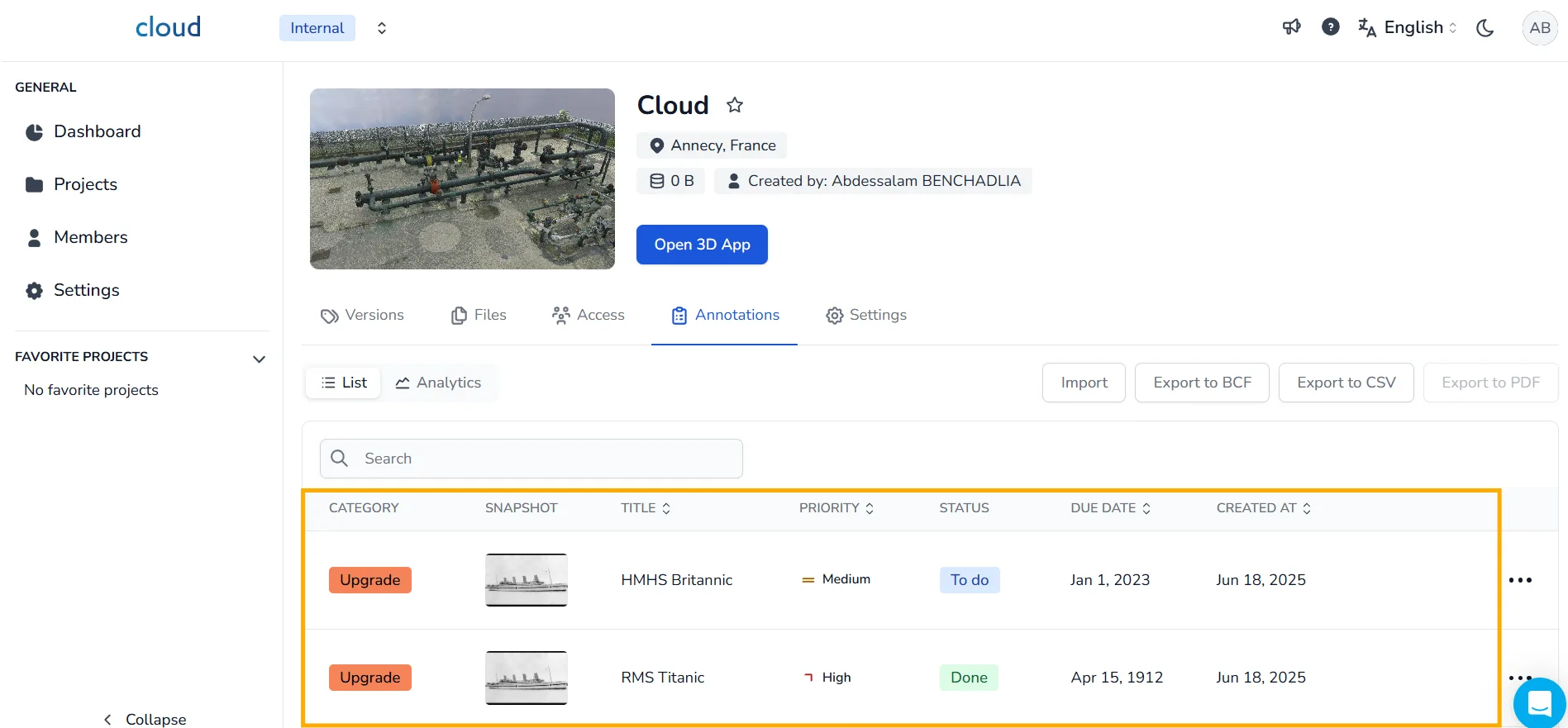
Your BCF file is now successfully imported, you will now see all your annotations displayed under the list view.
To learn more about the ways to edit the annotations, visit this article.
Reminder: Make sure to export using the compatible BCF format
When exporting your annotations from external tools such as BIMcollab on Revit, make sure you export your file using the BCF 2.1 format, as this is the version fully supported by our platform.
During export, check the drop-down menu and select BCF 2.1 before saving your file.
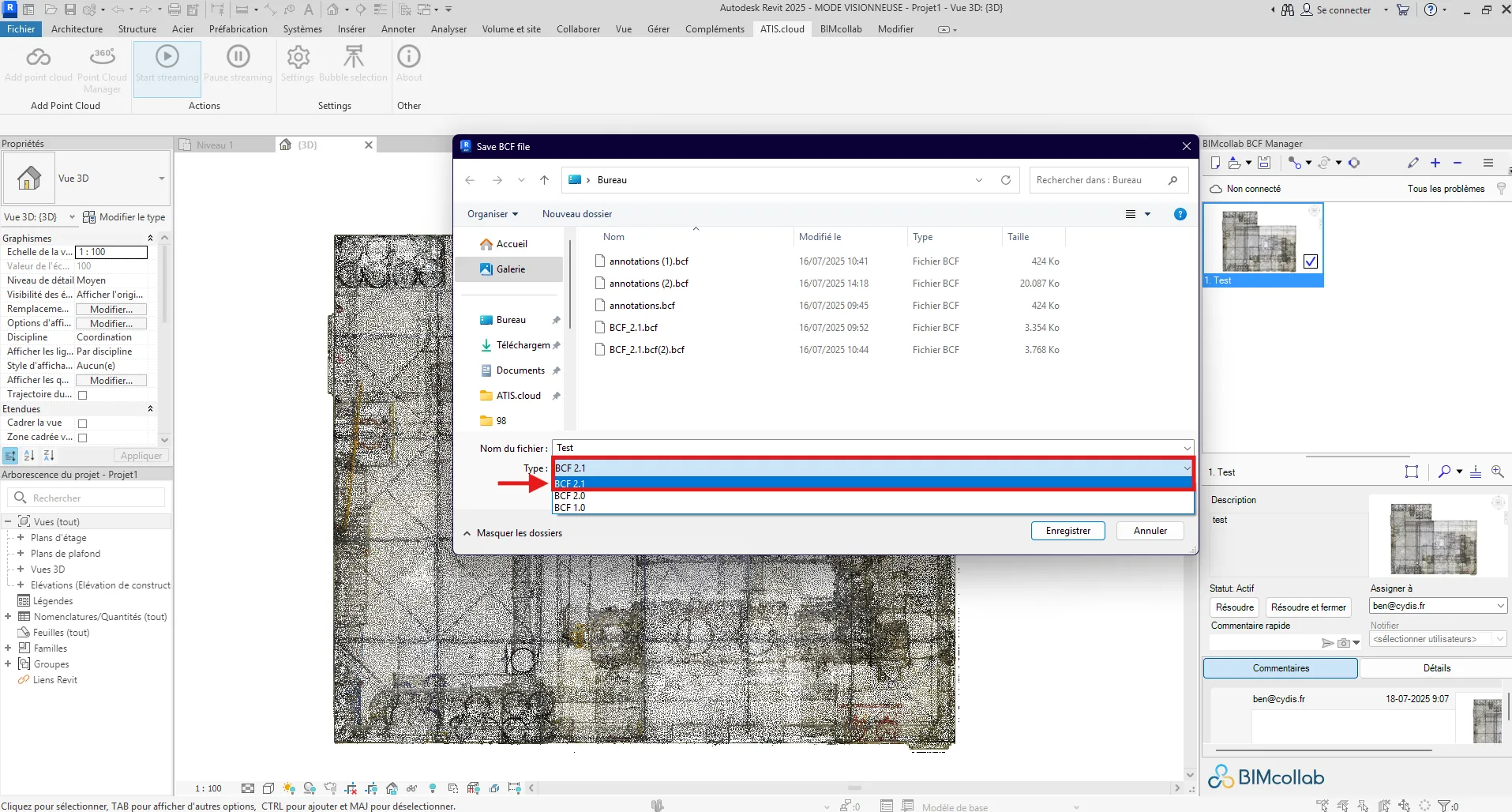
Choosing the correct format ensures that your annotations will be properly recognized and displayed.
If you have any problem or difficulties, please do not hesitate to contact the platform's team.