Downloading 360° Images from a Point Cloud
If your point cloud file is structured and contains 360° images, you can export and download those images directly from your project.
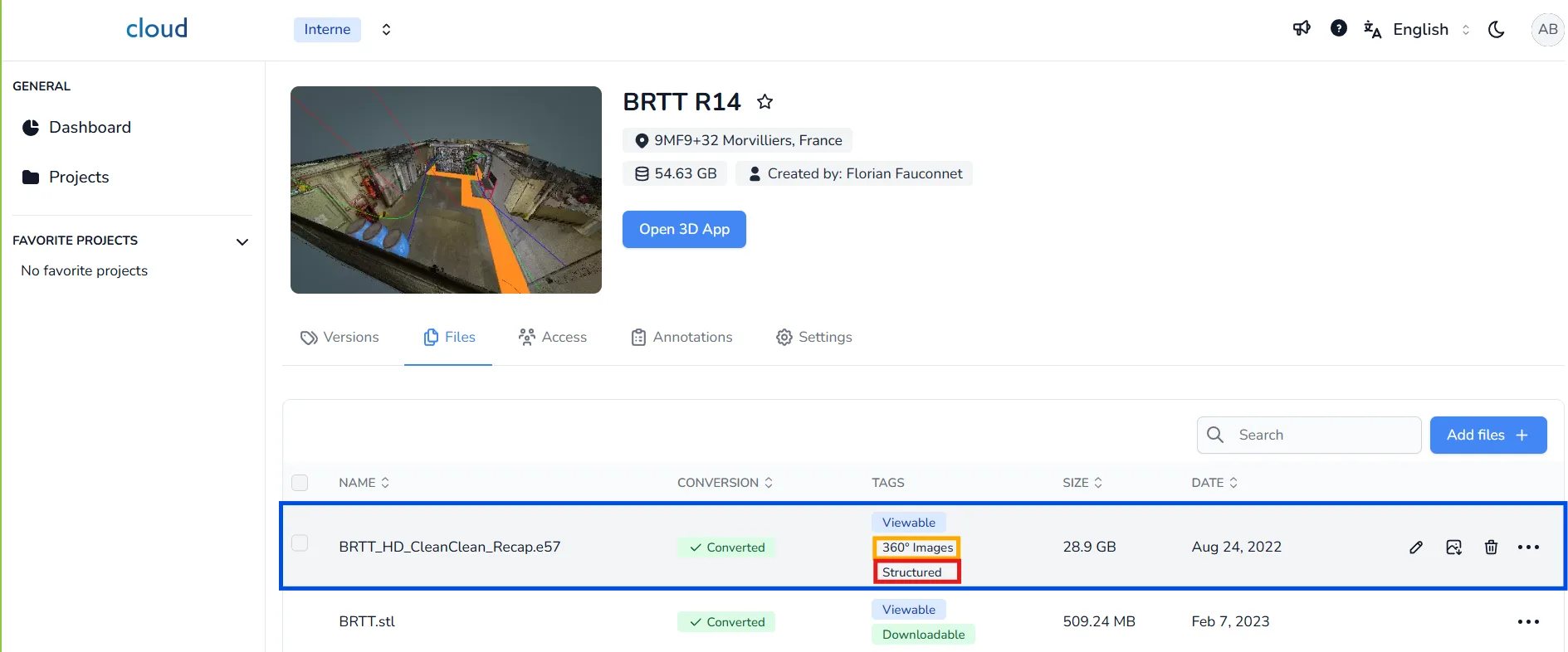
To begin, go to your project edit page, then:
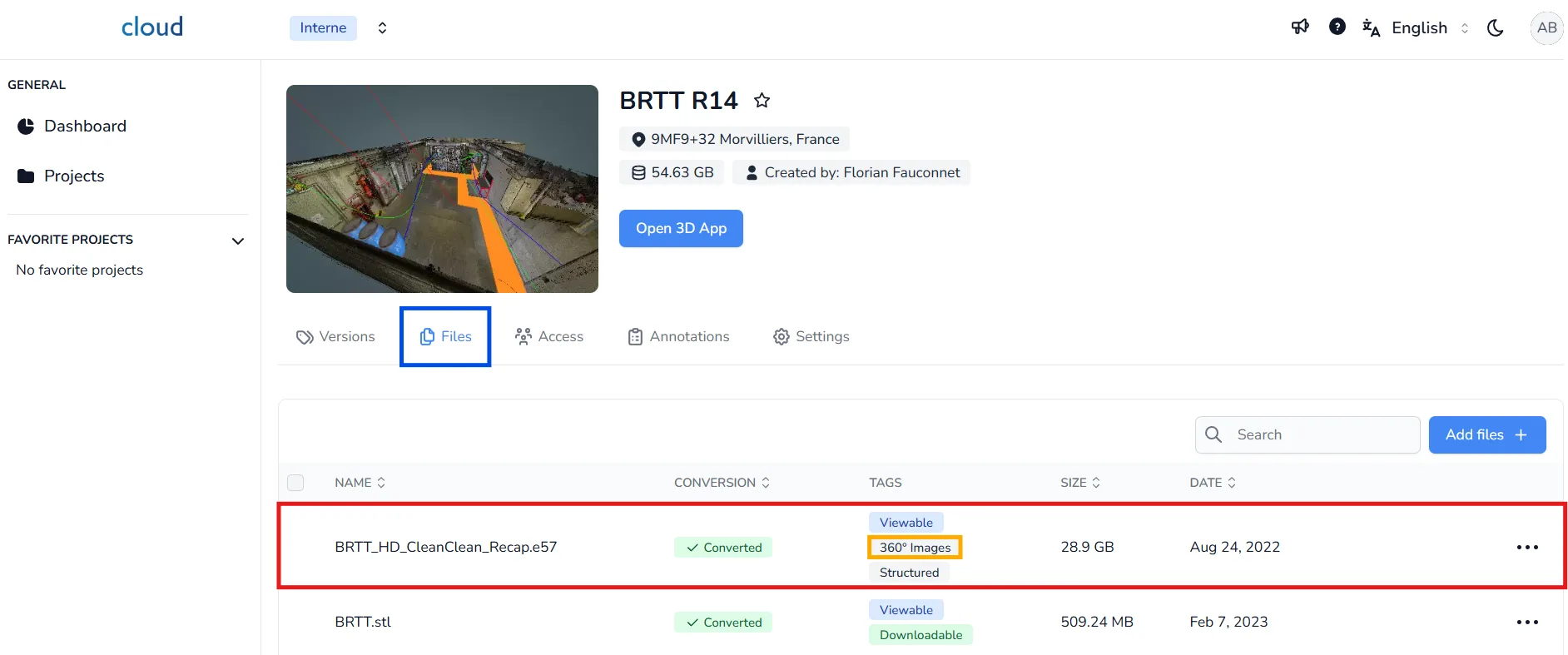
- Open the Files tab
- Locate the file that contains the point cloud
- Make sure the file shows both 360° Images and Structured tags
This confirms the point cloud is suitable for image export.
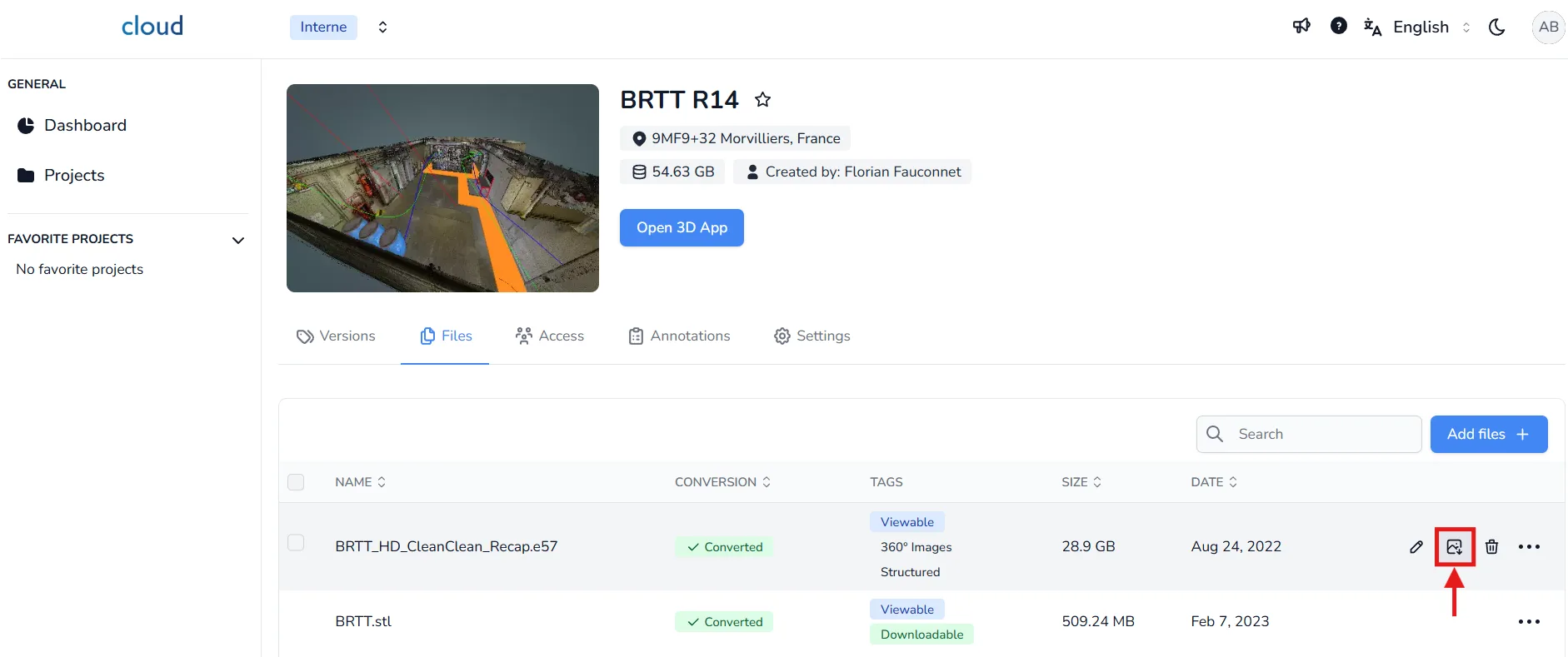
Click the Export Image icon, this will start the export process.
The export may take a few minutes. You'll receive an email once the process is complete.
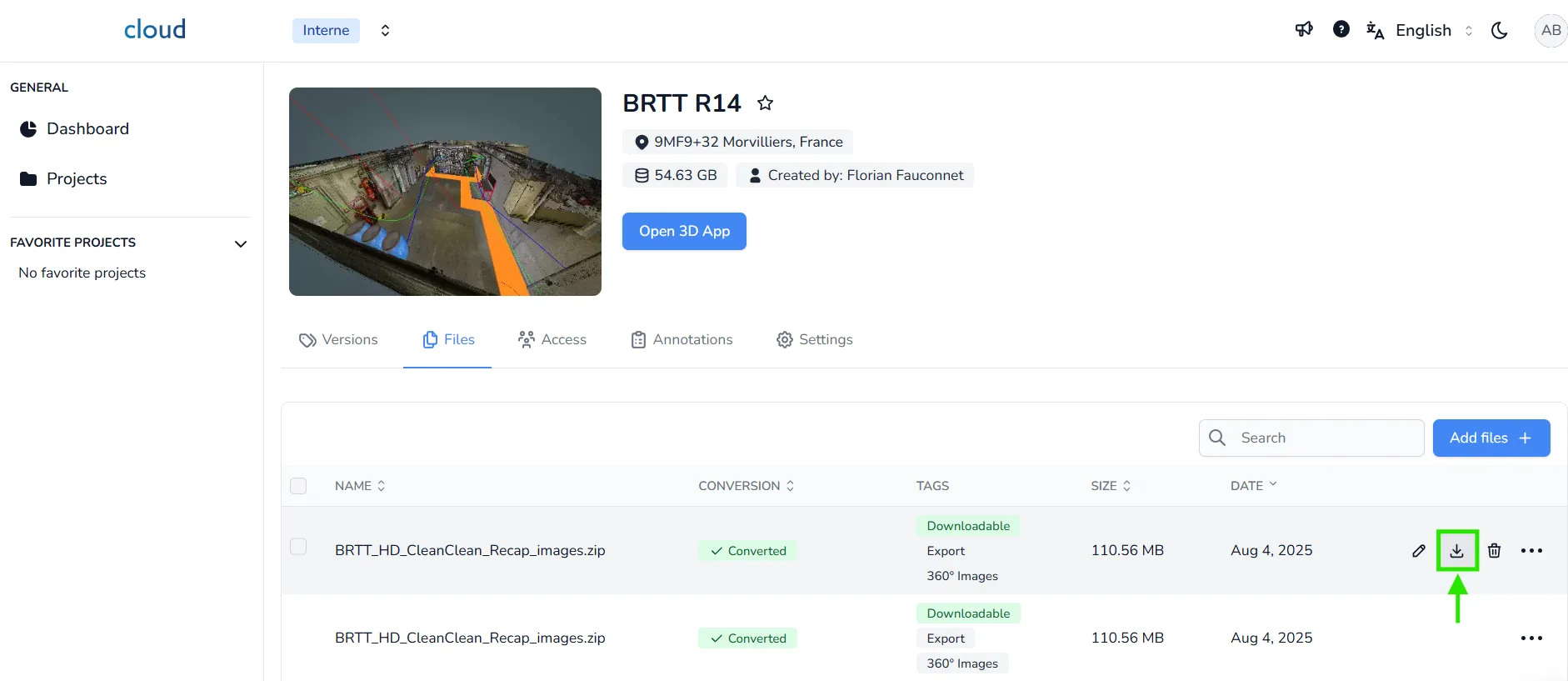
Once the export is ready:
- Return to the Files tab in your project edit page
- A new ZIP file will appear with the exported 360° images
- Click the Download icon to download the archive
In case of any problem or difficulty, please do not hesitate to contact the platform's team.