Grant Project Access to Members
To grant access to a project, you must have the required permissions. If you don't see the access section or can't modify it, your role in the project or company may be limited.
To begin:
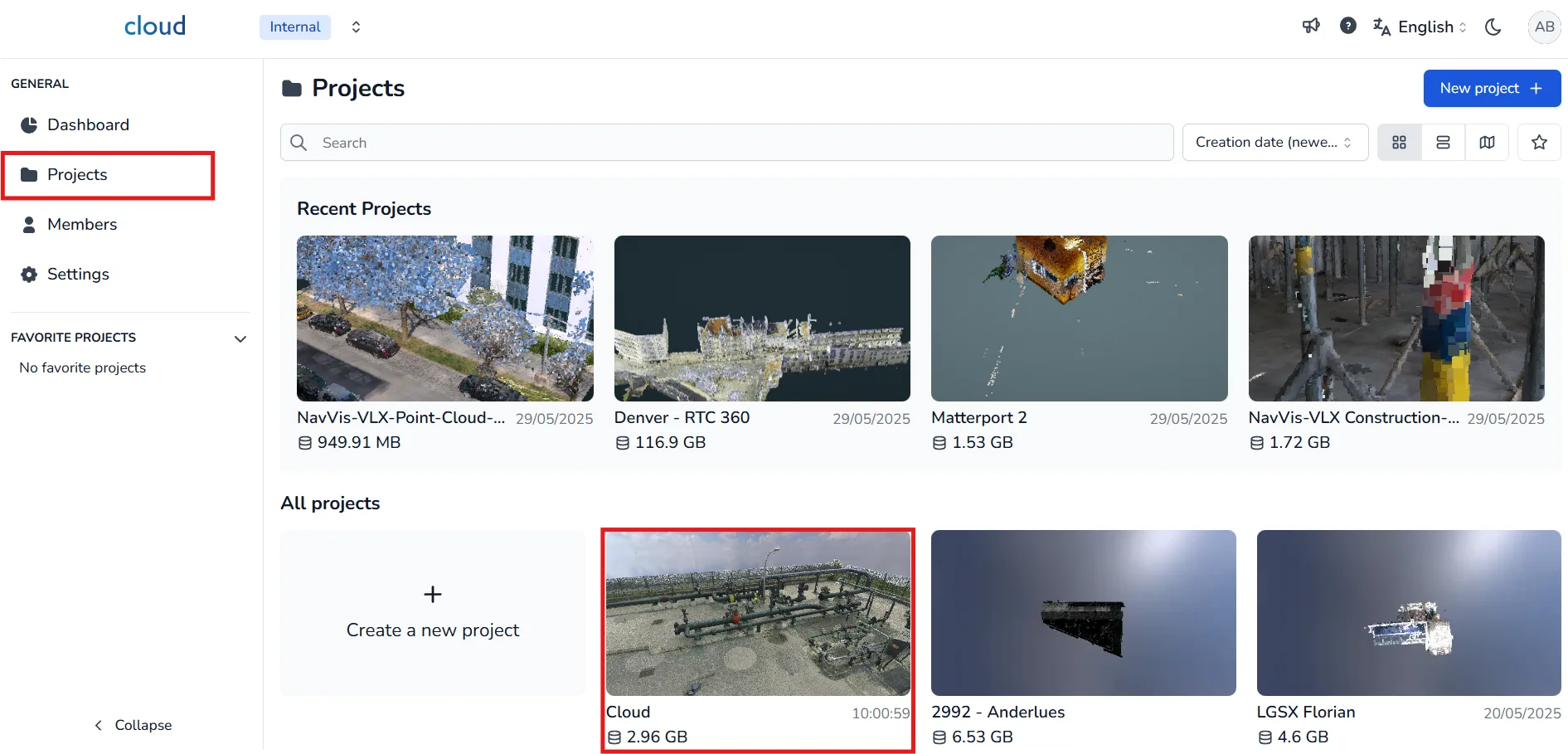
- First, navigate to the Projects page from the left-hand side menu. This is where you'll find all your company's projects, including the most recent ones listed at the top.
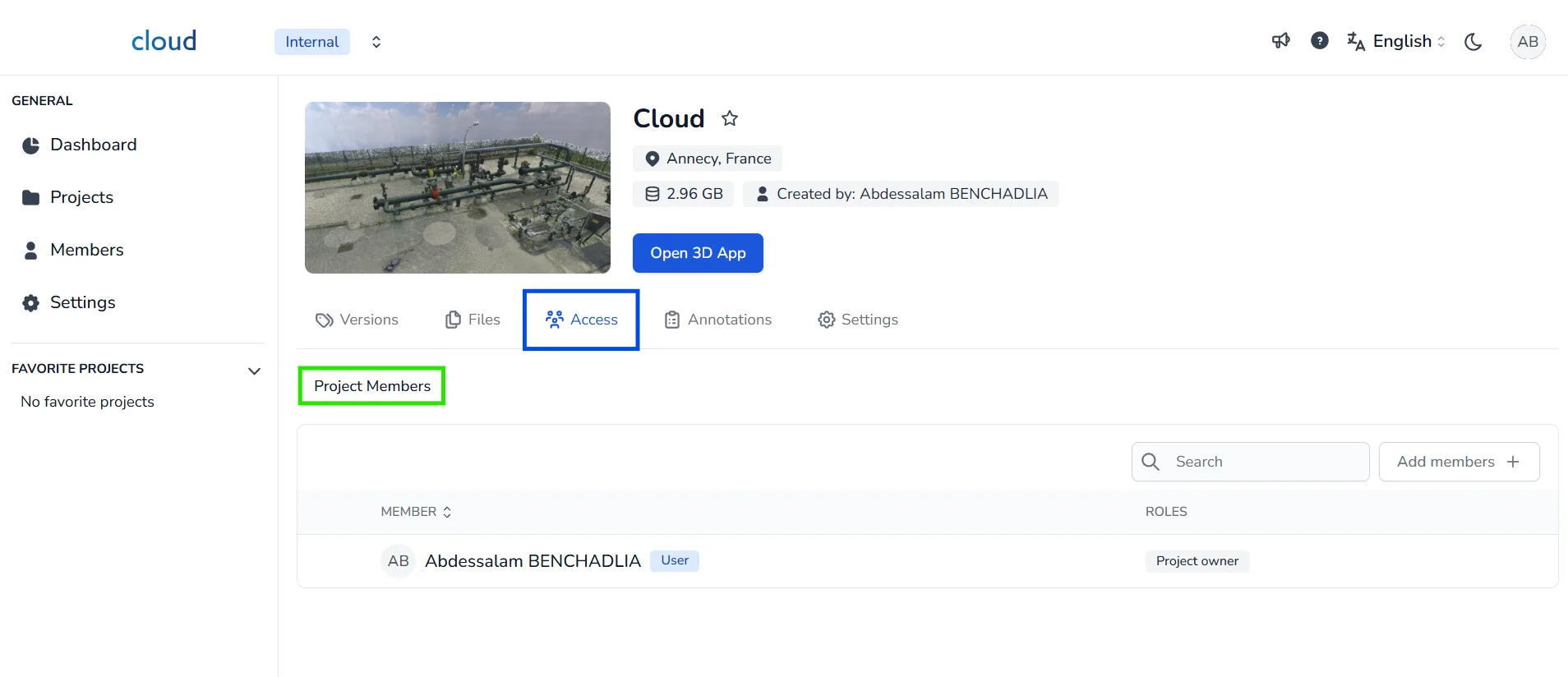
- On the project detail page, go to the Access tab. This section includes two subsections: Project Members and Public Share. Make sure you are in the Project Members section.
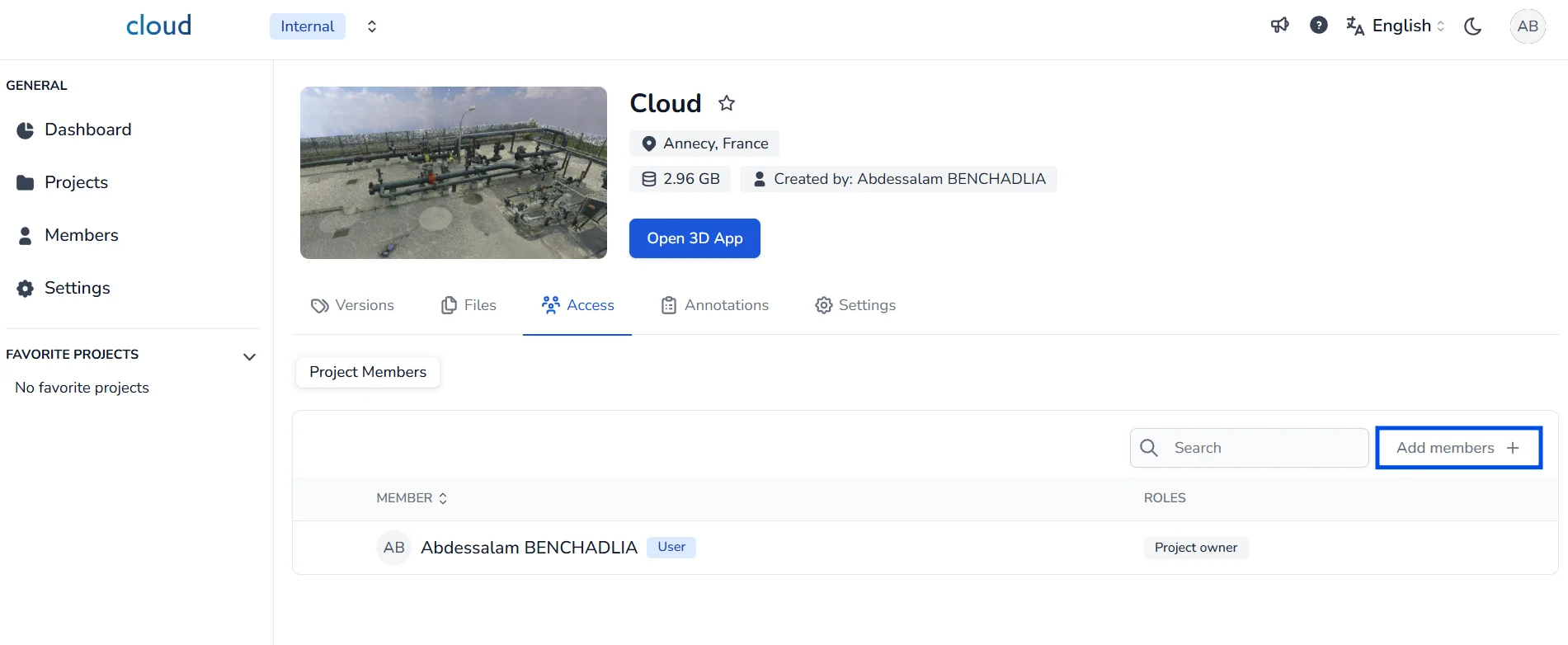
- Click on the Add members + button on the right side. This opens a window that allows you to search and add users or groups to your project.
Add Members and Define Roles
-
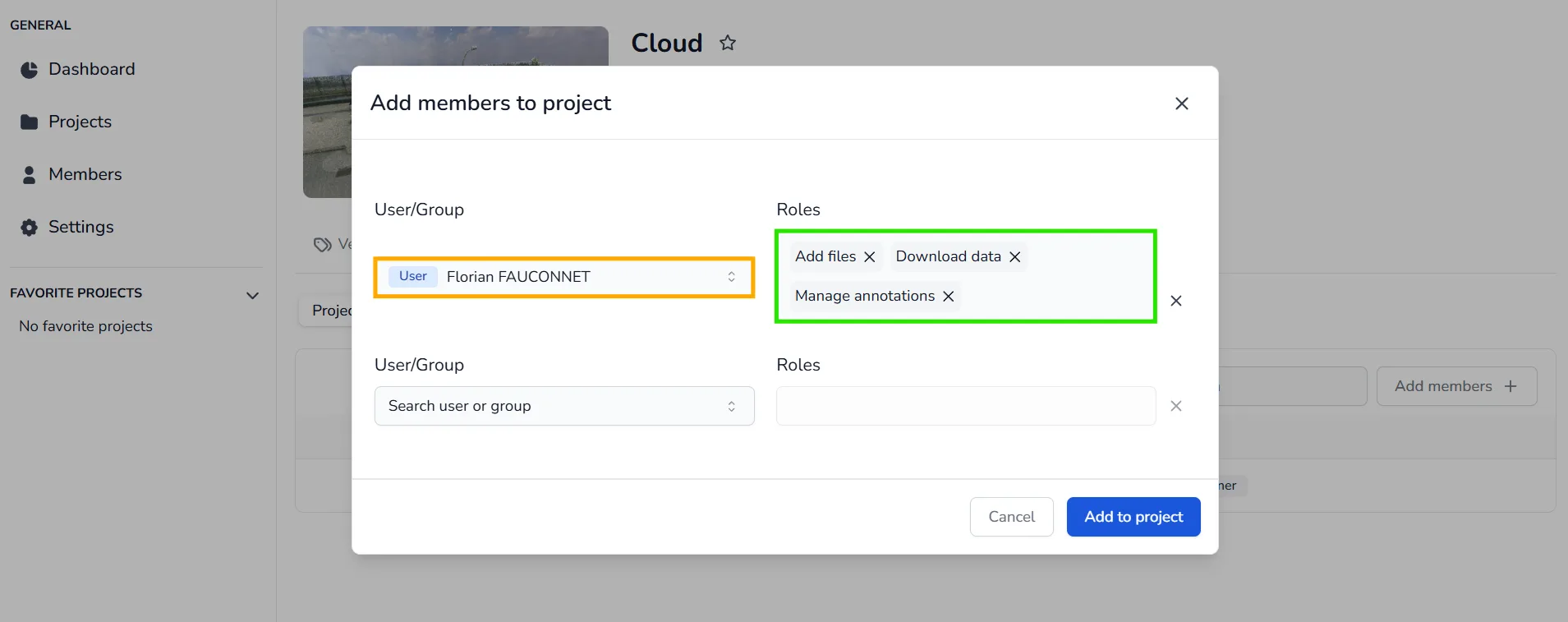
In the popup window, use the User/Group dropdown to search for the member or group you want to give access to. You must type at least part of the name or email for it to appear in the list.
-
In the Roles field, select one or more roles that you want to assign to the selected user or group. These roles determine the level of access and actions they can perform in the project (e.g. Add files, Manage members, Manage versions, etc.).
-
Once both the member and the role(s) are selected, click on Add to project to confirm. The user or group will now appear in the member list with the assigned role(s) next to their name.
Remove Access from a Member
-
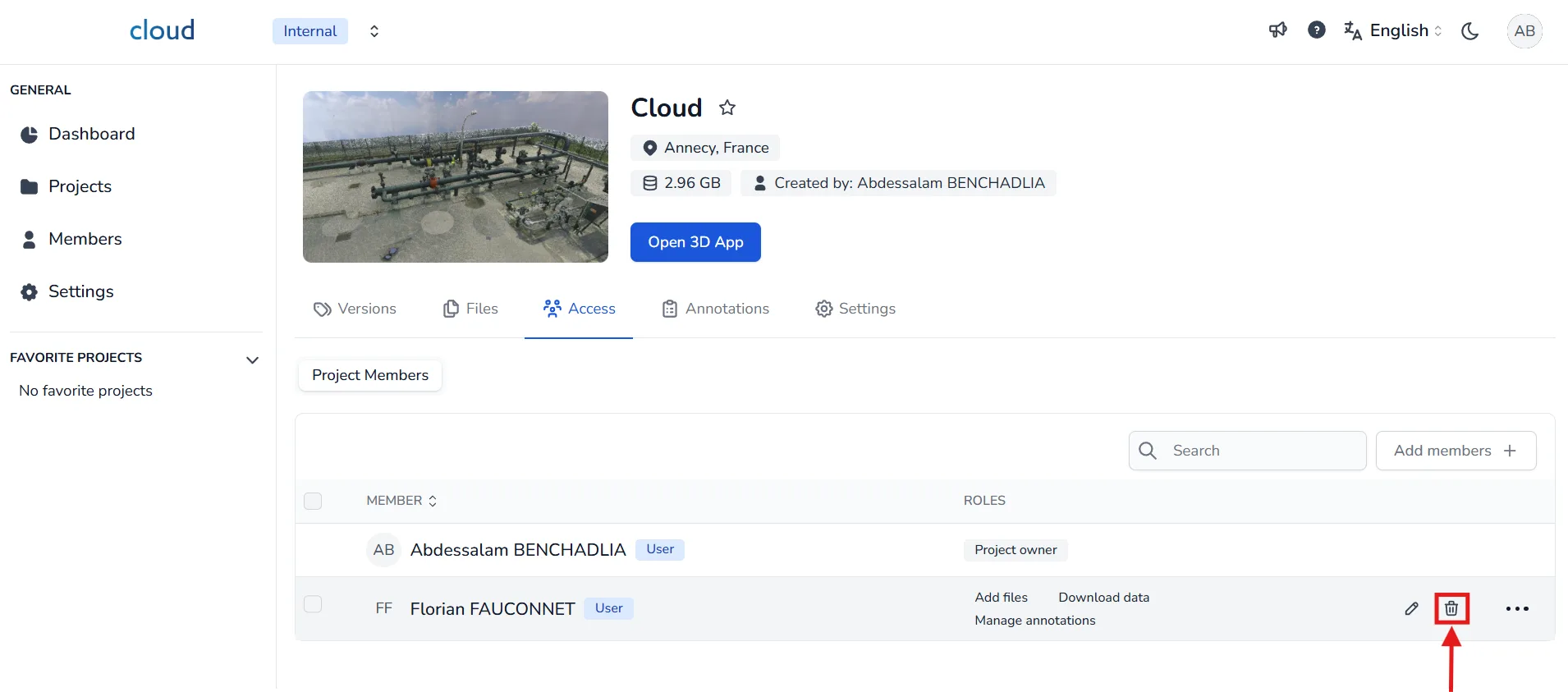
To revoke a user's access to the project, go back to the Project Members list within the Access tab.
-
Use the Search field to locate the member you want to remove. Once found, click the trash bin icon at the end of their row.
-
This action will remove their access to the project and any assigned roles. They will no longer be able to view or edit the project unless added again.
Now that members have access to the project, you can assign them specific permissions depending on their responsibilities. To learn more about what each role allows and how to configure permissions, please follow the article Grant project permission to members.
In case of any problem or difficulty, please do not hesitate to contact the platform's team.