Edit vertices
Path objects like polylines are defined by their vertices, and you can rework them without redrawing anything.
Move a vertex with its grip
Select the object: every vertex shows a small square grip. Drag a grip and release it on the new position. The status bar guides you ("Grip editing: release on the new position.").
Add or delete a vertex with the right-click menu
With the object selected:
- Right-click on a segment to add a vertex at that spot.
- Right-click on an existing vertex to delete it.
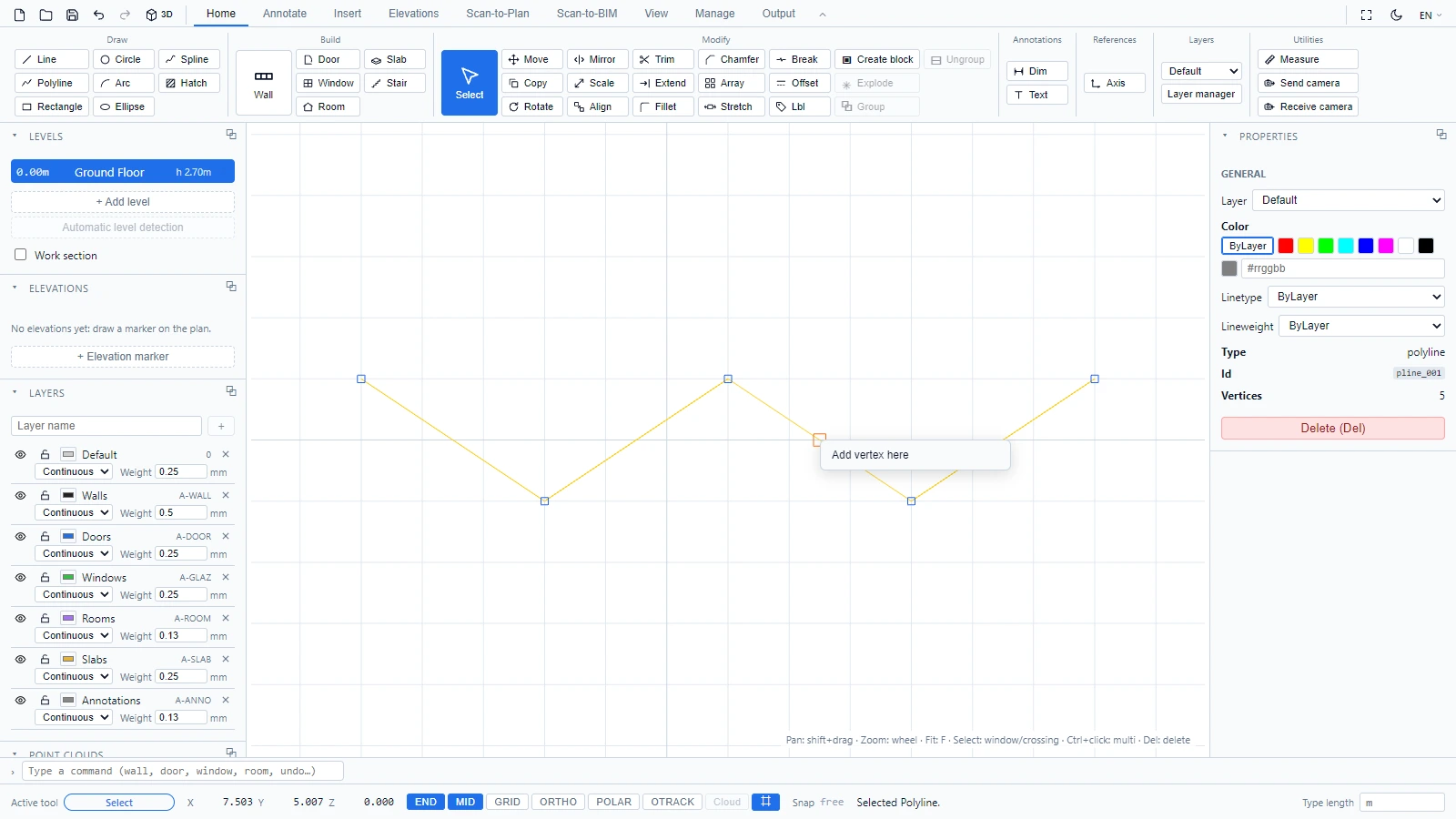
The status bar confirms the edit and keeps count, for example "Vertex added - 5 vertices". The Properties panel of a polyline also reports its vertex total.
tip
The right-click menu is reserved for the Select tool. While a drawing tool is active (Polyline, Spline, Hatch...), the right click finishes the drawing instead.
If you have any questions or need further information, please contact the technical team.