Import XGRIDS Gaussian Splatting data
To import an XGRIDS Gaussian Splatting project, you must first prepare the required project files and upload them in the correct structure
Prepare the Required Files and Create the ZIP Archive
XGRIDS exports a Gaussian Splatting project in one of two layouts:
- LCC project: the export contains a file named meta.lcc
- LCC2 project: the export contains a project file ending in .lcc2 (example: MyProject.lcc2)
Both layouts are accepted by the platform. Check which files your export contains, then make sure the matching structure below is complete.
LCC project structure
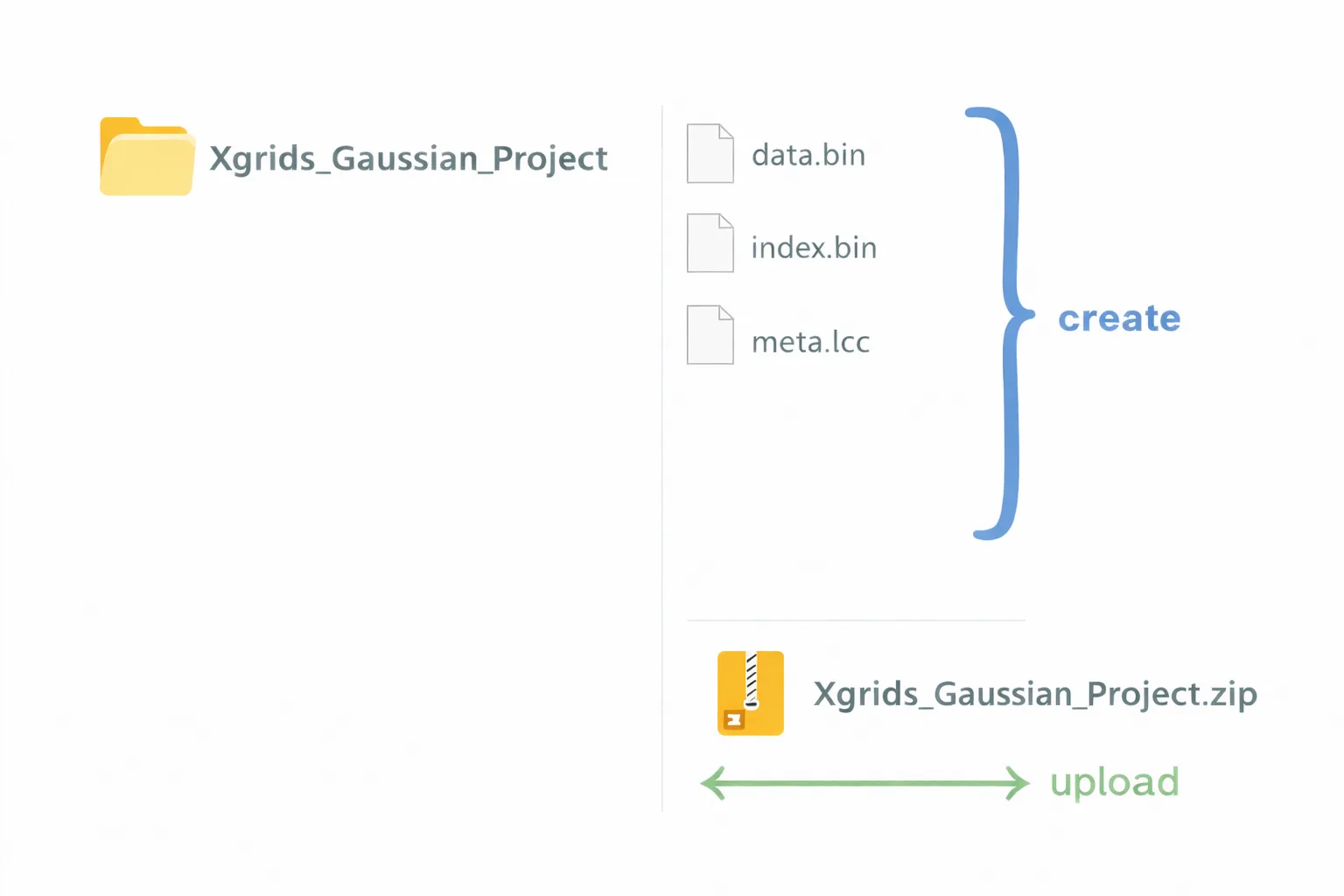
Make sure you have all the required files generated by XGRIDS:
- data.bin
- index.bin
- meta.lcc
All these files must be located inside the same project folder.
Example of correct structure:
LCC2 project structure
Make sure you have at least these two items generated by XGRIDS:
- the project file ending in .lcc2
- the data folder, which contains a 3dgs subfolder holding the Gaussian Splatting data
The .lcc2 file and the data folder must stay next to each other, inside the same project folder.
Example of correct structure:
Xgrids_LCC2_Project/
   MyProject.lcc2
   data/
      3dgs/
         (Gaussian Splatting data files)
If your export contains both a meta.lcc file and a project file ending in .lcc2, the platform imports it as an LCC2 project, so the export must follow the LCC2 structure above.
Create the ZIP File
-
Place the required files and folders inside a single folder (example: Xgrids_Gaussian_Project for LCC, Xgrids_LCC2_Project for LCC2)
-
Compress the entire folder into a .zip file
-
Do not rename, remove, or modify any of the internal files
Upload the ZIP File and View Your Project
Open your project and navigate to the Files tab. Click on Add files, then select Browse File to choose your .zip archive.
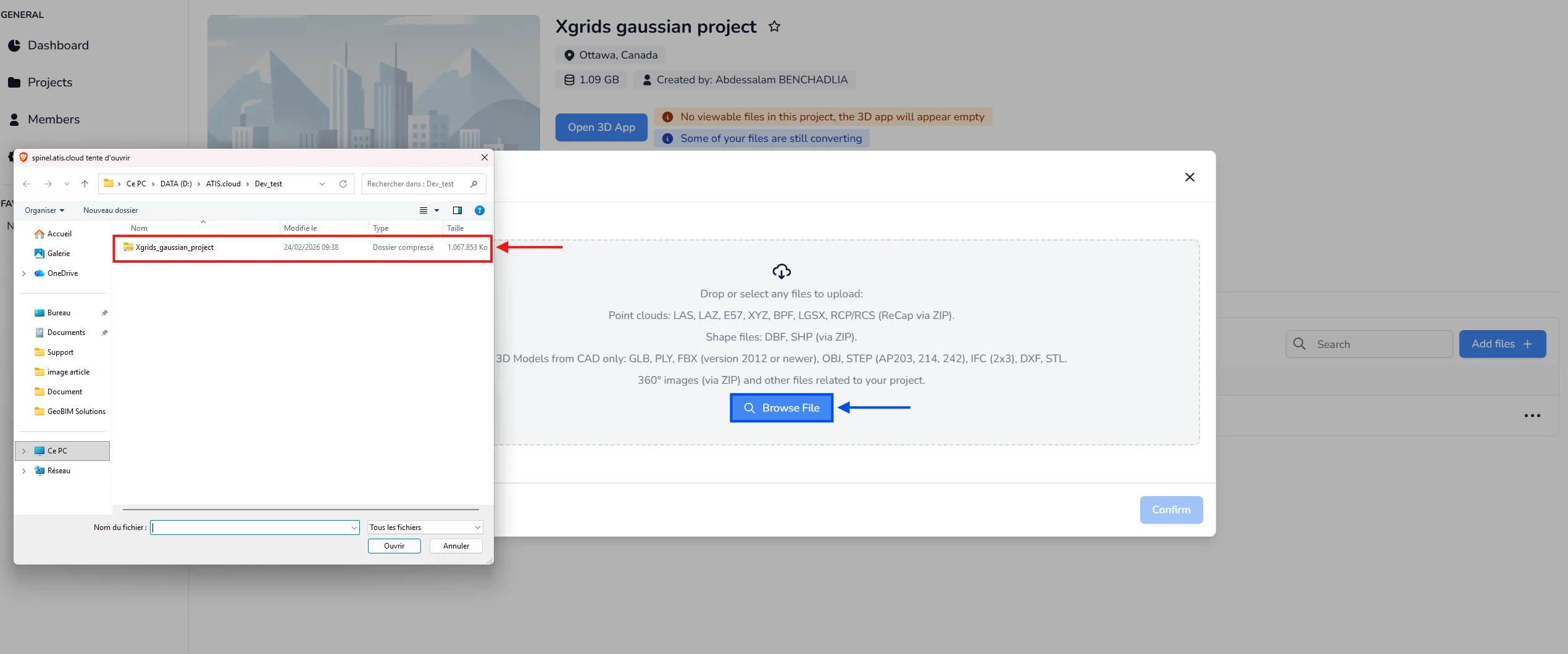
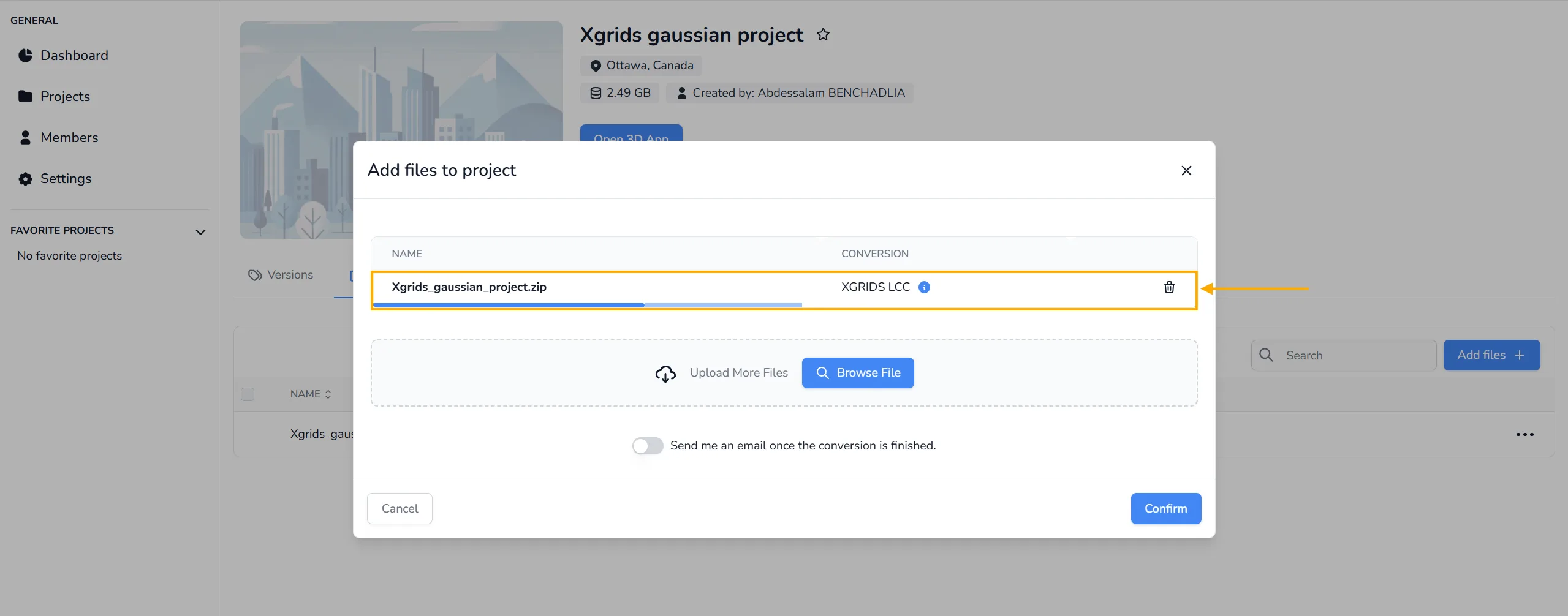
After selecting the file, confirm the upload. If the ZIP structure is correct, the platform will automatically detect the XGRIDS LCC or LCC2 format and begin the conversion process. No manual format selection is required.
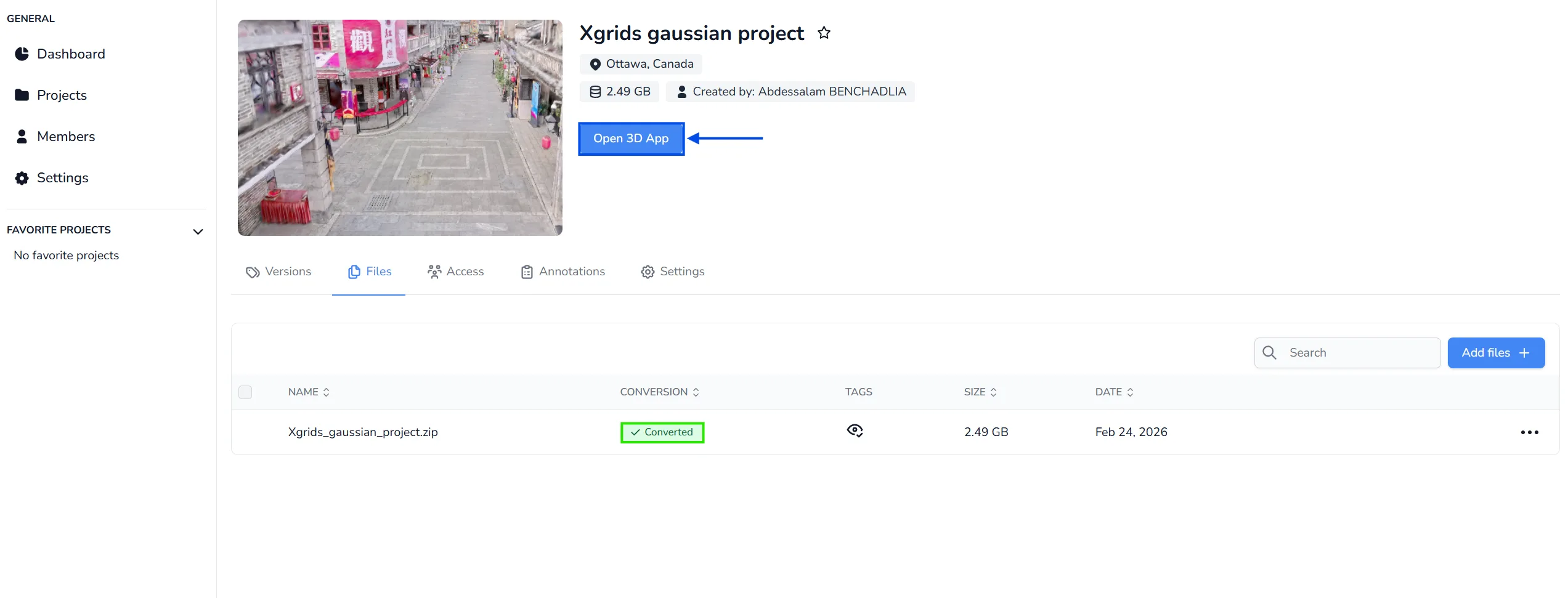
Once the conversion is complete, open the project and click Open 3D App to visualize your Gaussian Splatting data.
Limitations
Keep these limits in mind when you work with XGRIDS Gaussian Splatting data in the 3D application. They come from the XGRIDS tools used to produce that data, not from the platform, so they cannot be removed on our side:
- One per project. Only one XGRIDS Gaussian Splatting object can be displayed at a time. If your project already contains one, a second one is not loaded and a message tells you why.
- A single clipping box. Only one clipping box applies to it. You can still add more boxes for your point clouds and your 3D models, they simply have no effect on the Gaussian Splatting data.
- No duplication. The duplicate action is not available for an XGRIDS Gaussian Splatting object.
The other Gaussian Splatting formats accepted by the platform (PLY, SPZ, SPLAT, KSPLAT and SOG) are listed in Accepted File Types.
If you have any questions or need further assistance, please contact the technical team.