Converting LGS (Legacy) to LGSx
Introduction
Leica's LGS format is considered a legacy file format, previously used for storing and sharing laser scanning data such as 3D point clouds, panoramic images, and measurements. It was designed to work within Leica's ecosystem, supporting tools like Cyclone and TruView. However, the introduction of the LGSX format marked an evolution in data handling. LGSX is the modern successor, offering improved data compression, faster processing speeds, and better performance for larger datasets. As a result, LGSX is now the preferred format for more efficient workflows, while LGS remains compatible with older systems.
To convert an LGS file to LGSx you have 2 solutions :
If you would like to convert multiple files, it is advisable to choose the second solution (using the LGS Converter Tool).
Using TruView
- Download TruView software using this link: https://d2x50l9q0qkxpn.cloudfront.net/software/TruViewPortable.zip
- Extract the zipped software and start it by clicking on TruView.bat
- Add your LGS file to TruView
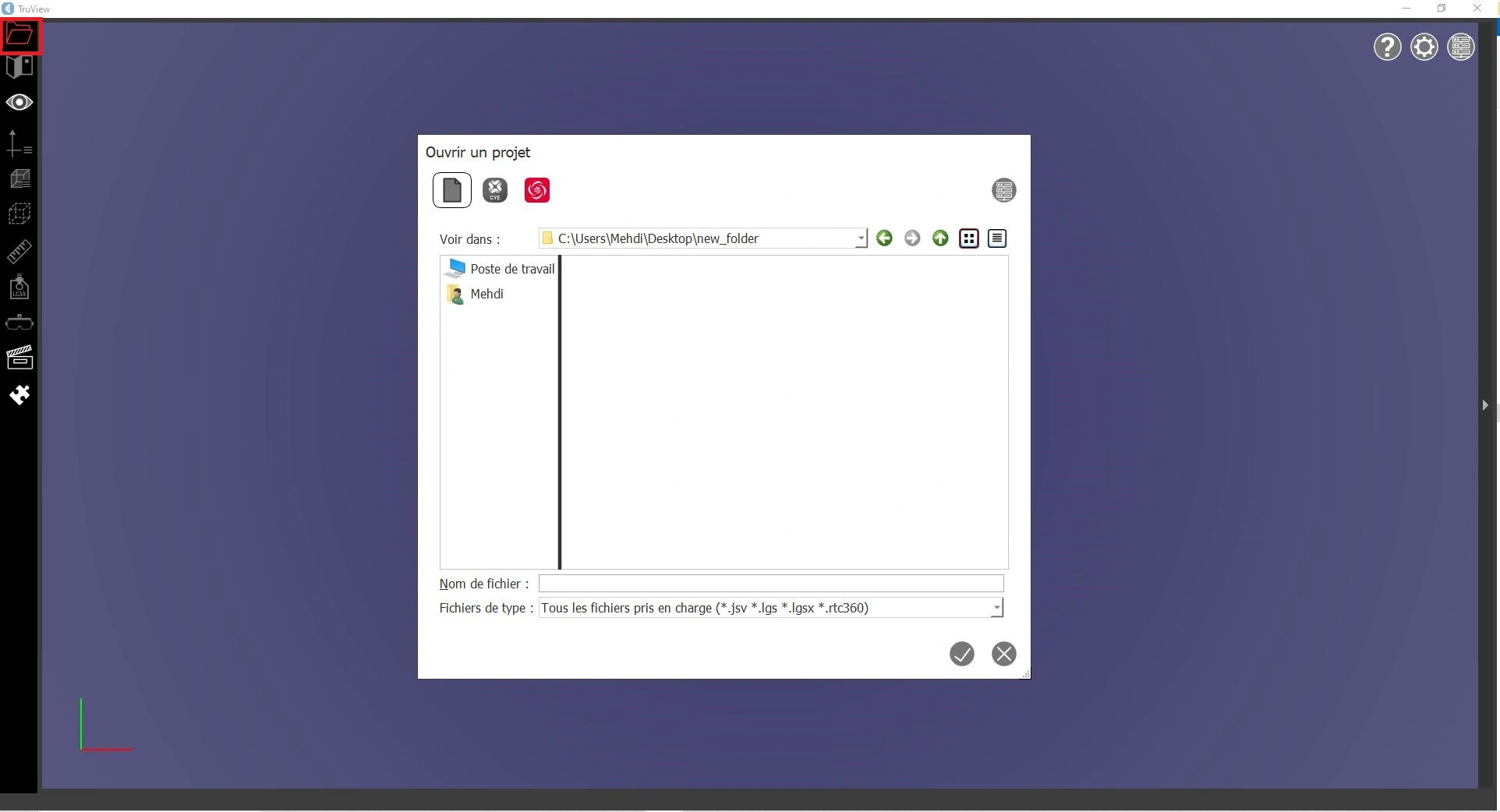
- Export your point cloud to an LGSX file
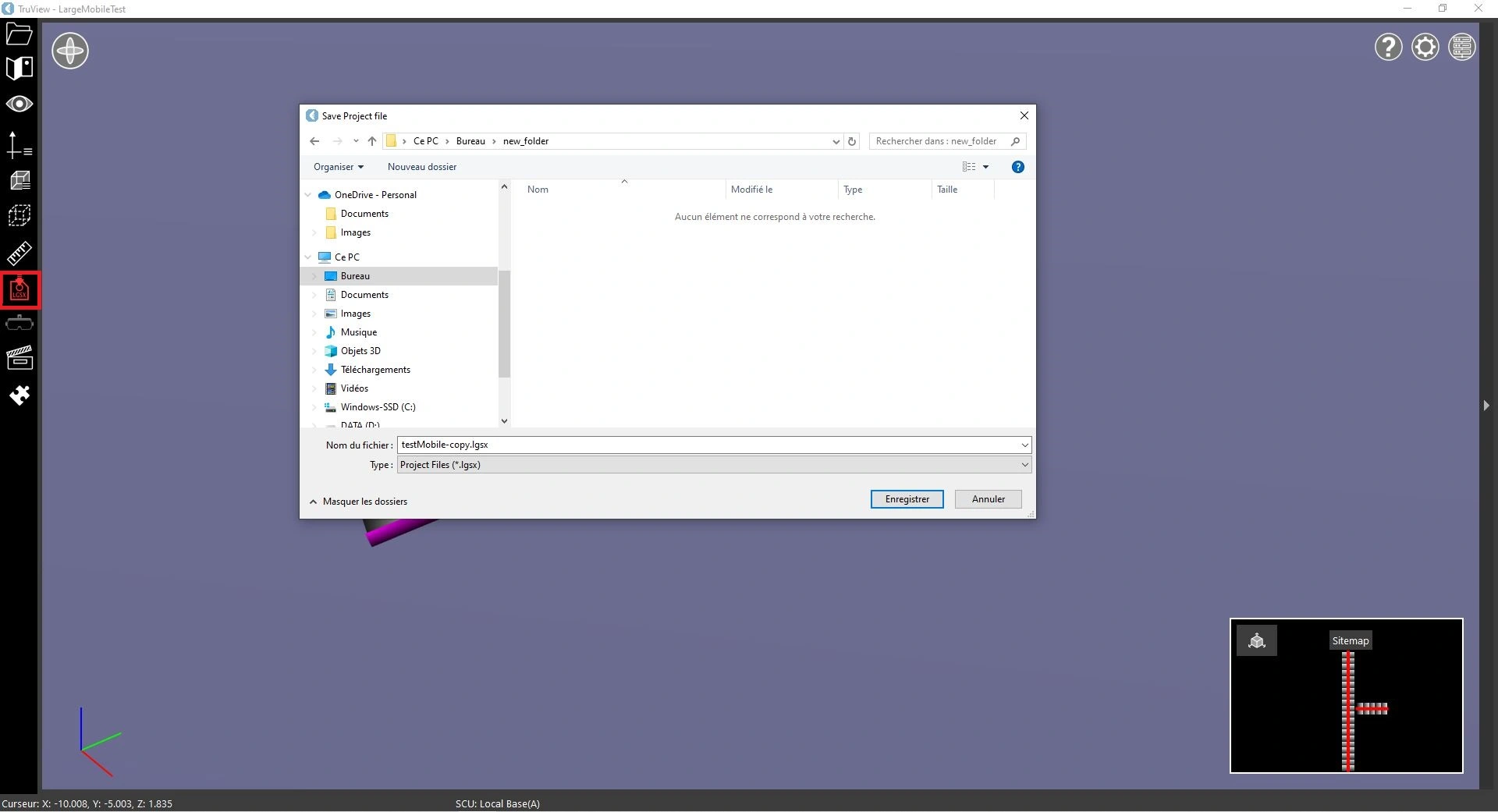
- Finally, you can upload the LGSX file to the platform.
Please note that password-protected LGSx files are not accepted.
Using LGS Converter Tool
- Download the LGS Converter Tool using this link: https://d2x50l9q0qkxpn.cloudfront.net/software/LGS_Converter_Utility.zip
- Unzip the software and install it on your local machine. The installation process is very simple; you just need to execute the installation file and follow the installer instructions
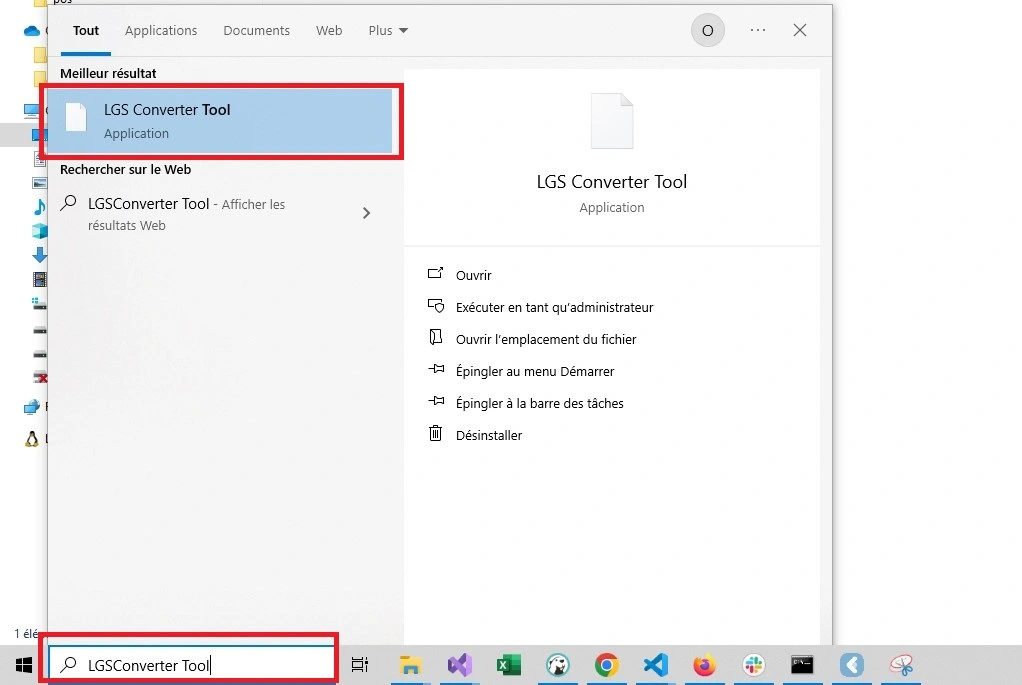
- Start the installed tool
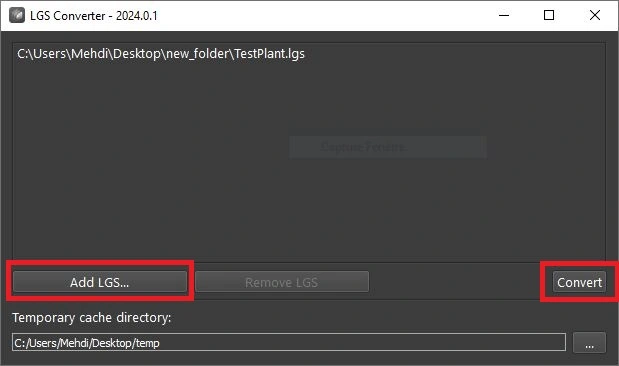
- Add the LGS files you would like to convert and click on Convert. For each input LGS file, an LGSX file will be generated in the same directory as the input file
- Finally, you can upload the generated LGSX files to the platform.
Please note that password-protected LGSx files are not accepted.