Projection
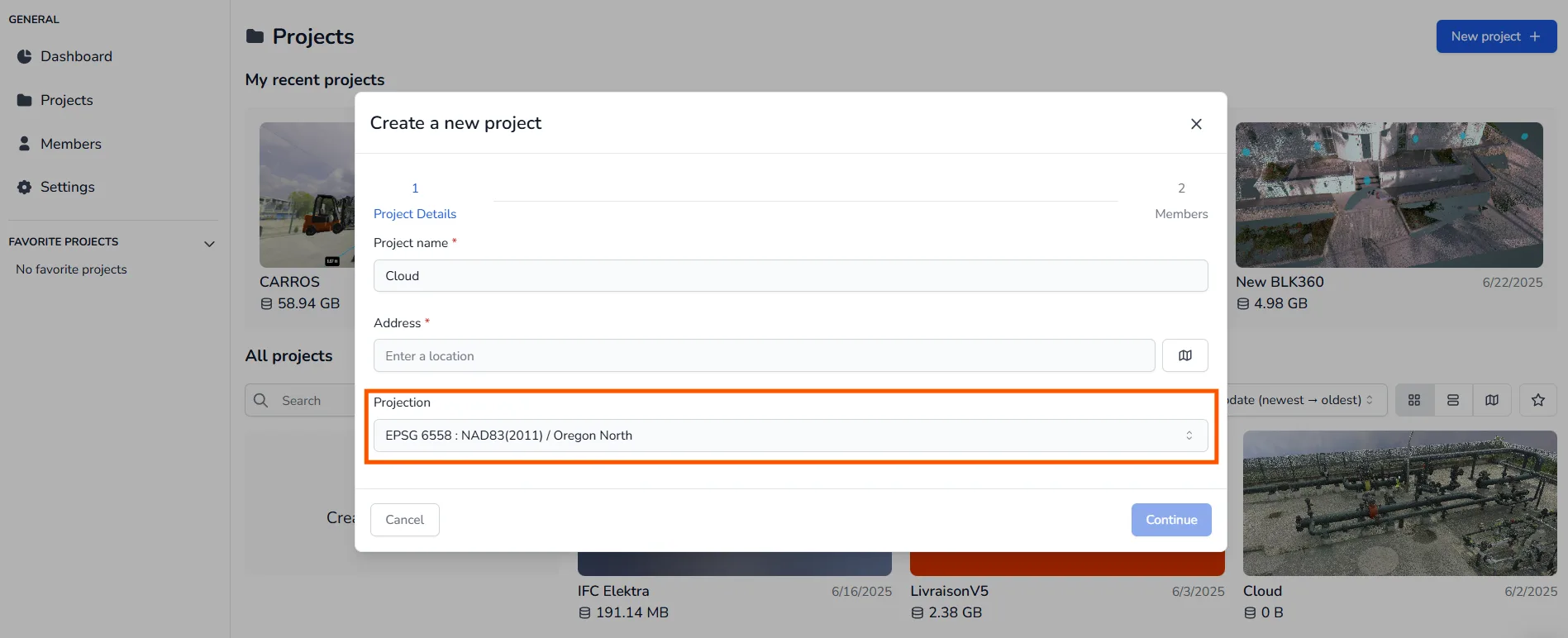
The first step is setting up the projection, this can be done when creating the project, simply enter the name of the projection you are looking for and select it to save it, then create the project as usual.
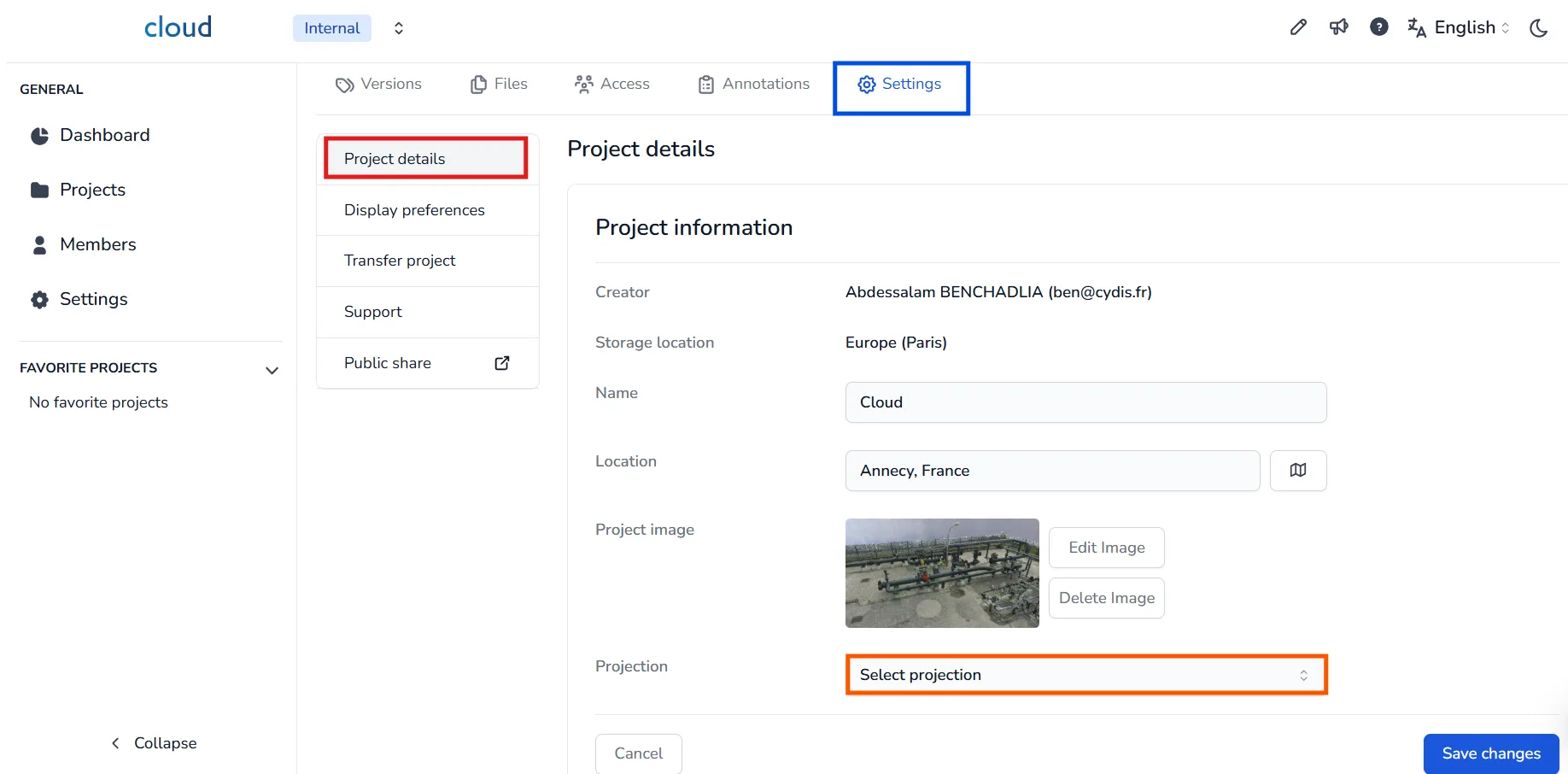
Note that you can also set it up or modify it in the project's edition page, to do this, go to the Settings tab of your project, then click on Project details. Scroll to the Projection section, click the dropdown, and select a new projection to replace the existing one.
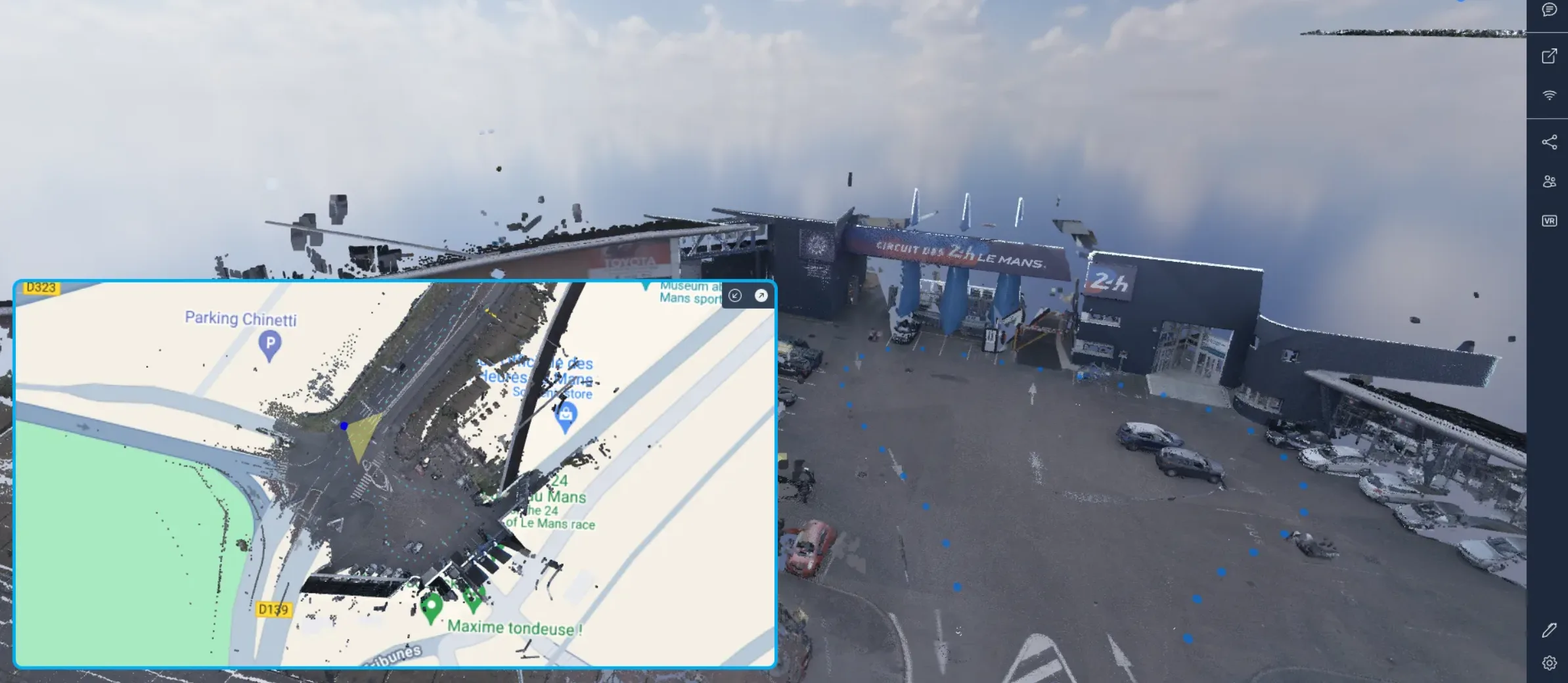
Once your projection is in place, you can open the 3D Application, display your minimap, it will automatically have the projection enabled.
In case of any problem or difficulty, please do not hesitate to contact the platform's team.